Is Kre8or AI Part of Wealthy Affiliate? Kre8or vs Image Studio Explained
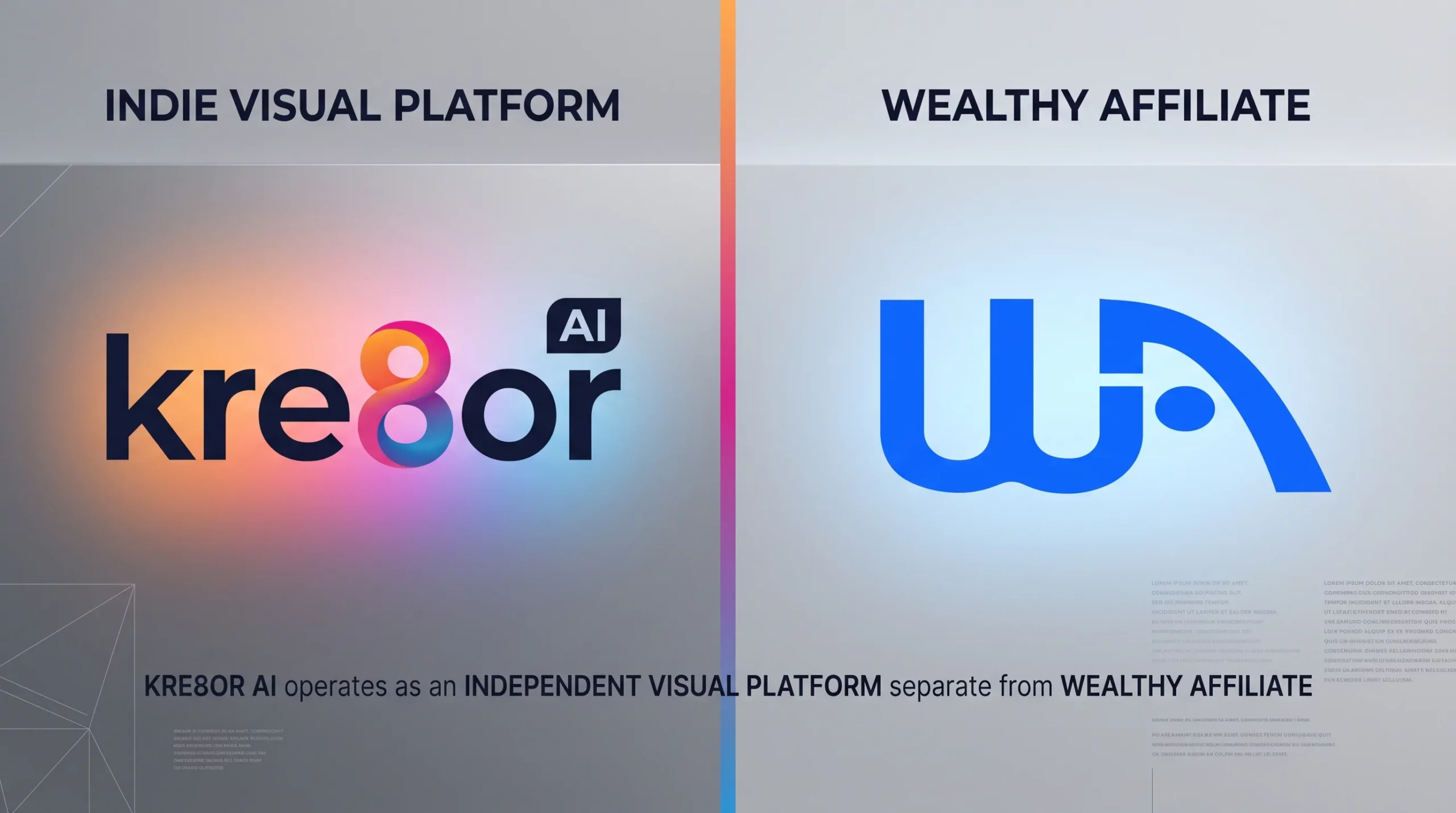
Kre8or AI is a standalone visual platform built by Kyle Loudon and Carson Lim, the same pair who started Wealthy Affiliate. It is a completely different company with its own site, login, and billing. Wealthy Affiliate does not include Kre8or access. WA members get Image Studio instead, which is WA’s own built-in image tool.
If you have heard both names and felt confused, you are not alone. Here is the clear breakdown.
Same Founders, Different Company
Kyle and Carson built both platforms, so they share the same creators and some common roots. Beyond that, the platforms differ in their features, structure, and overall user experience.
Kre8or is a separate service, not an add-on within Wealthy Affiliate or a bonus included with your membership. A WA upgrade won’t unlock access to Kre8or. To use it, you’ll need to sign up directly on the Kre8or website, pay Kre8or separately, and log in through the Kre8or platform.
Think of it like a chef who opens two restaurants. Same owner, different menus, separate checks.
| Item | Kre8or AI | Wealthy Affiliate |
|---|---|---|
| Founders | Kyle Loudon and Carson Lim | Kyle Loudon and Carson Lim |
| Type | Standalone AI image platform | Affiliate training and hosting platform |
| Account | Separate Kre8or login | Separate WA login |
| Billing | Paid to Kre8or | Paid to Wealthy Affiliate |
| Do you need both?Key Point | No | No |
Does Wealthy Affiliate Include Kre8or?
No. This is the point most people miss. Kre8or is a stand alone platform separate from Wealthy Affiliate.
Your WA login will not open Kre8or. There is no Kre8or button in your WA dashboard. If you want both tools, you keep two accounts.
WA built Image Studio, its own image creation tool for members. It gives them a dedicated place to create and manage images within WA.
What Is WA Image Studio?
Image Studio lives inside Wealthy Affiliate, so bloggers can create and access visuals without leaving the dashboard. It helps them add images to posts quickly, without switching between separate design tools.
Type a prompt, choose a style and size, and add a reference image when you need a closer visual direction. Then edit the result and export it in formats suited to posts, pins, or ads. Every generation uses your WA AI credits.
It’s simple on purpose: make a clear header, create a Pinterest pin that fits the post, and get back to writing. Don’t let design details take over the time you need for the work itself.
Kre8or AI vs Image Studio
Both tools turn written prompts into images, but that shared function is where the similarity ends. They differ in how they interpret prompts, generate visuals, and handle creative control.
| Feature | Kre8or AI | WA Image Studio |
|---|---|---|
| Where it lives | Its own website | Inside the WA dashboard |
| Login | Kre8or account | WA account |
| Main use | Art, remixing, character sets, and community | Fast graphics for blog content |
| Remix other users’ art | ✓ Yes, built into the feed | No |
| Cast for repeat charactersStandout | ✓ Yes, save a face and reuse it | No |
| Community challenges | ✓ Yes | No |
| Referral and activity rewards | ✓ Yes | No |
| Photo restoration Workshop | ✓ Yes, guided step-by-step fixes | No |
Stick with Image Studio when speed matters and you want to create images quickly. Choose Kre8or if you prefer an active community, more creative control, and greater flexibility in how you work.
What Does Kre8or Do Well?
1. Remix
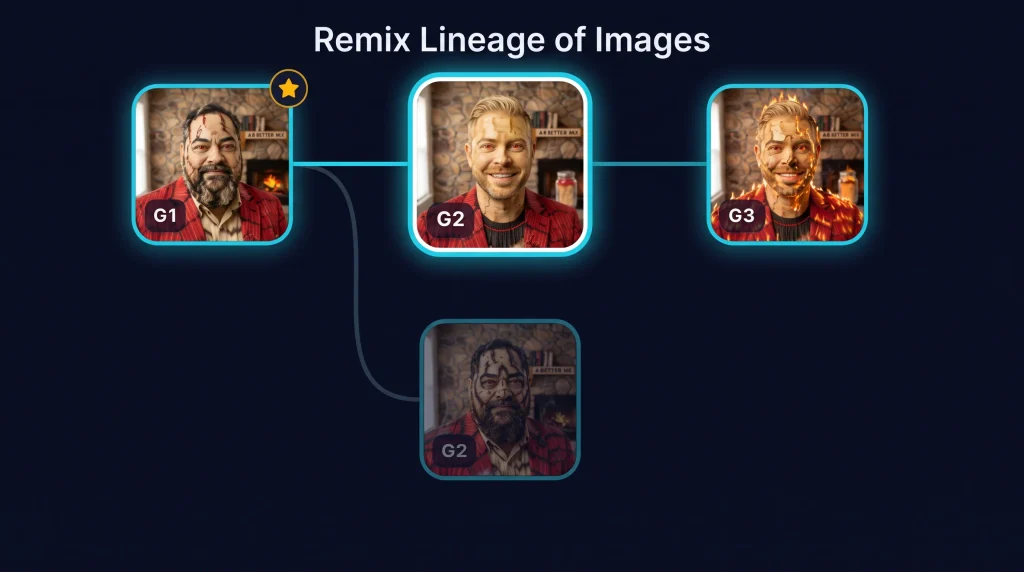
Take public art from your feed and remix it into something that feels like yours. Keep the style, composition, color palette, or setup that catches your eye, then change the details, mood, or subject to fit your idea. It gives you a useful starting point, so you don’t have to stare at a blank prompt box every time.
2. Cast
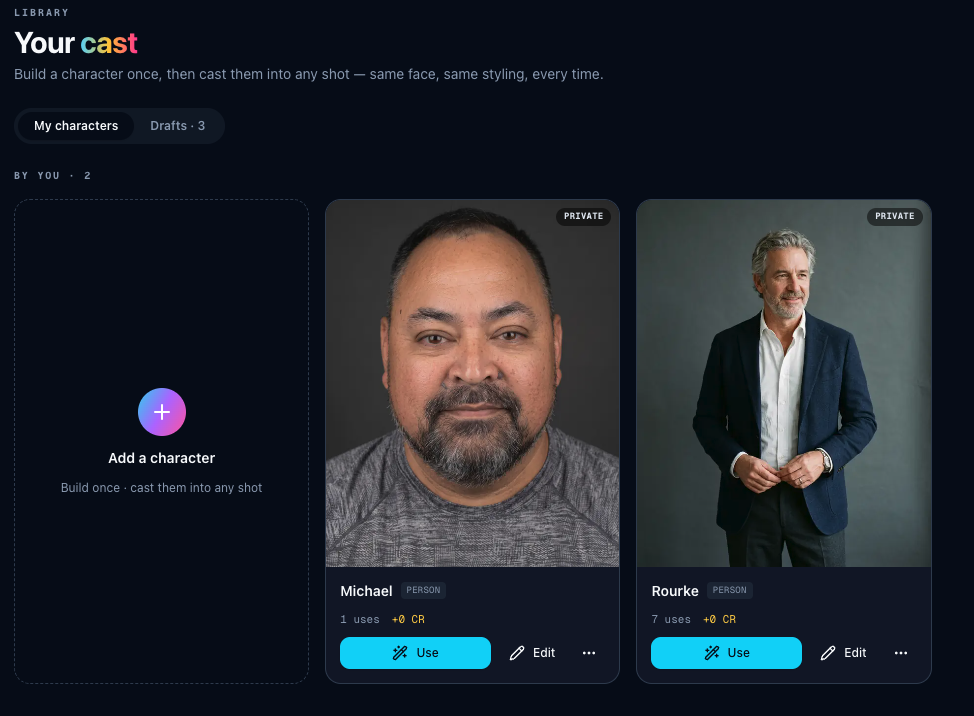
This is the best part for bloggers and storytellers. Save a character once, then place that same face in new poses, outfits, and settings. Whether the scene calls for a winter coat, a formal outfit, or a quiet moment at home, the character stays recognizable and consistent.
3. Challenges and Feed
Kre8or works like a social feed for visual makers. You can post your images, join creative challenges, and vote on or remix other people’s work. The platform also gives you a way to build a small following based on your visuals alone, without needing a long bio or constant self-promotion.
4. Workshop
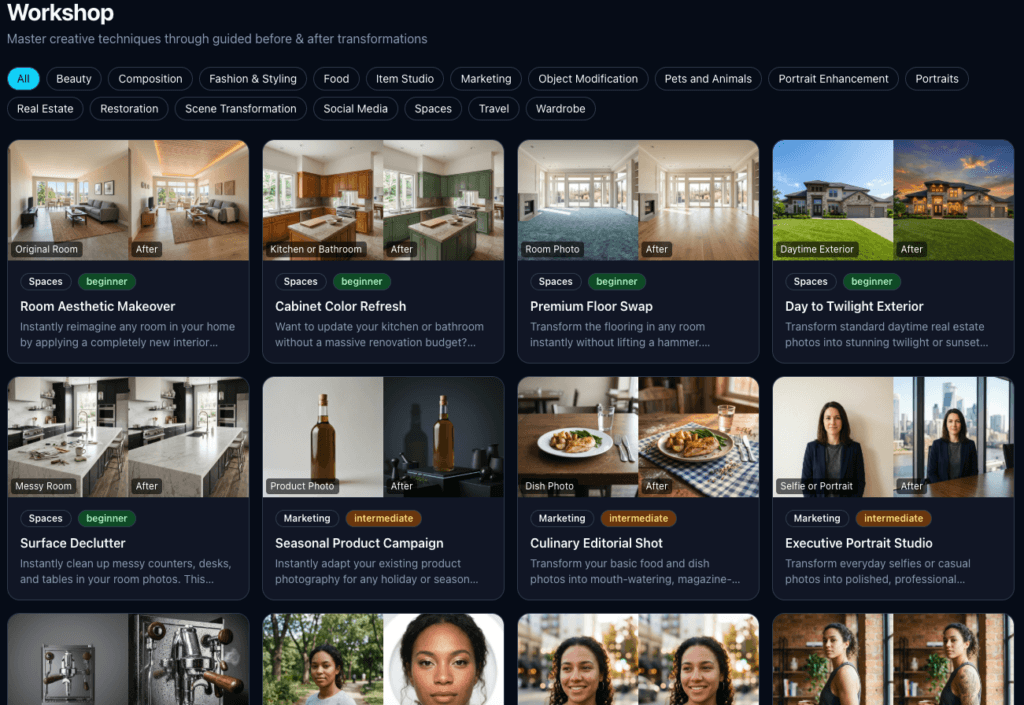
Kre8or includes a guided workshop for photo repairs such as restoring old, faded, or damaged images. Upload the photo, follow each step, and make targeted fixes without starting from scratch. Some WA members, myself included, have turned these skills into a small paid service, helping clients clean up family photos and preserve important memories.
One limitation to keep in mind: Kre8or creates still images only, such as graphics, illustrations, and other single-frame visuals. It doesn’t support video creation or animation.
How Much Does Kre8or Cost?
Kre8or runs on credits. Each image or edit uses some.
- Free: $0. About 750 starter credits, one time, with limited storage. Good for a test drive.
- Spark: $9 per month. About 2,000 credits per month and 250 image storage. Includes commercial rights and 4K quality.
- Creator: $29 per month. About 7,000 credits per month and 1,000 image storage. Listed as the most popular plan.
- Visionary: $99 per month. About 27,500 credits per month and 5,000 image storage.
Check the live pricing page before you buy. Credit amounts can shift.
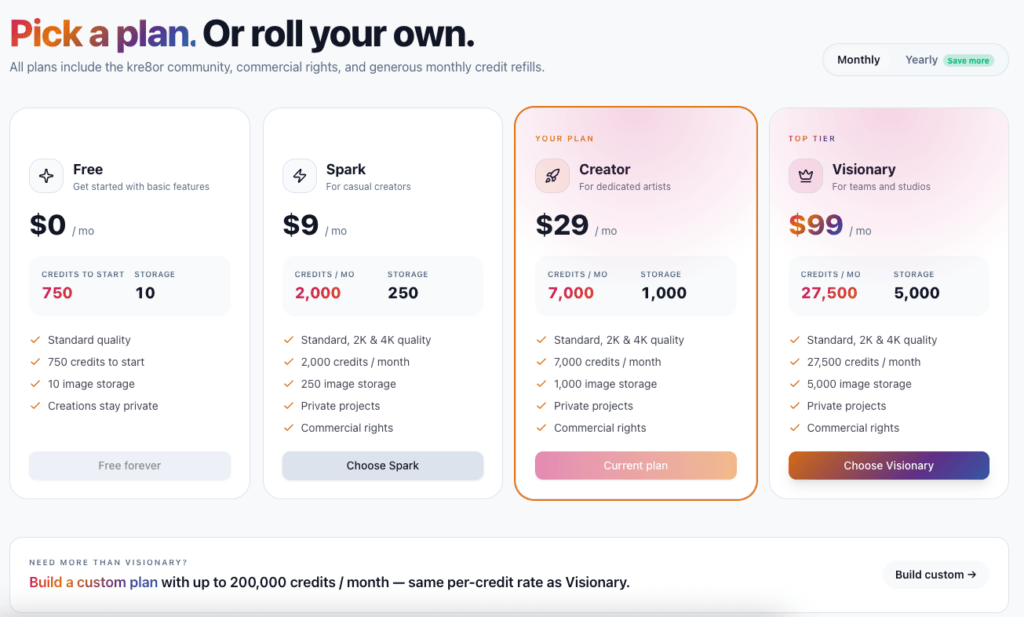
Image Studio works differently because it uses the AI credits already included in your WA plan, so you don’t need to purchase separate credits to create images.
Which One Should You Use?
Use Image Studio if: You are in WA every day. You need a header, a pin, or an ad image fast. You want to use credits you already pay for.
Use Kre8or if: You want repeat characters for a series. You like to remix and share ideas. You want to join challenges and earn perks. Or you are not in WA at all and just want a standalone art platform.
Plenty of WA members use both. Image Studio for daily posts. Kre8or for Pinterest sets, brand characters, and fun client work like photo restorations.
Bottom line: same founders, separate companies. Pick the tool that fits the job and keep moving.
Heads up: the links below are affiliate links. If you sign up through them, I earn a small commission at no extra cost to you. I only recommend tools I actually use.
Wealthy Affiliate Image Studio
Make headers, pins, and ad graphics without leaving your WA dashboard. Runs on the AI credits already in your plan.
- Built into Wealthy Affiliate
- Prompt, style, size, and reference image
- Fast exports for posts and social
Kre8or AI
A standalone art platform with remixing, repeat characters, and a creator community. Separate company, separate login.
- Cast keeps your characters consistent
- Remix public art from the feed
- Free plan with starter credits