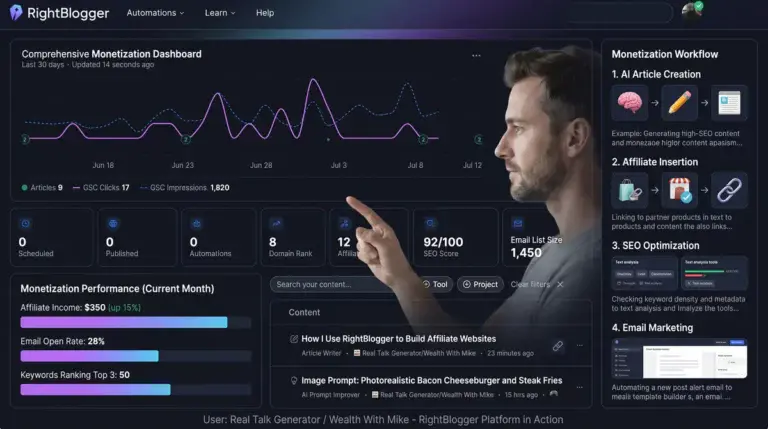
Last Updated: July 12, 2026
Quick Answer
Is RightBlogger worth it?
In my experience, yes. After publishing hundreds of articles across multiple affiliate websites, RightBlogger has become one of the few AI tools I genuinely use every day. It doesn’t replace research, editing, or experience, but it dramatically speeds up the repetitive parts of blogging such as outlining articles, generating FAQs, writing meta descriptions, improving content, and creating social media posts.
If you’re looking for a tool that helps you publish faster while keeping your own voice, RightBlogger is one of the best investments I’ve made.
This RightBlogger Review is based on publishing hundreds of articles across multiple websites and using the platform as part of my daily blogging workflow. After testing dozens of AI tools, RightBlogger is one of the few I still use every single day.
This isn’t a feature roundup. It’s a look at how it fits into my real publishing workflow, where it saves me time, and where I still rely on my own experience.
Want to See RightBlogger for Yourself?
Everything you’re about to read comes from my personal experience using RightBlogger while building multiple affiliate websites. If you’d like to follow along or explore the tools yourself, you can check it out below.
Affiliate Disclosure
Disclosure: This article contains affiliate links. If you purchase through one of my links, I may earn a commission at no additional cost to you. I only recommend tools I personally use and believe provide genuine value to bloggers and affiliate marketers.
At a Glance
- ✅ Published hundreds of articles using RightBlogger
- ✅ Daily user for more than a year
- ✅ Uses RightBlogger across multiple niche websites
- ✅ Personally pays for the subscription
- ✅ Review based on real-world use, not a free trial
Key Takeaways
- I use RightBlogger almost every day while building affiliate websites.
- It saves me time by handling repetitive blogging tasks instead of replacing my writing.
- The Outline Generator, FAQ Generator, Meta Description Generator, and Social Post Generator are the tools I use most often.
- I still research, fact-check, edit, and add my own experience to every article.
- After using many AI writing tools, RightBlogger has become one of the few subscriptions I continue paying for.
After spending more than 32 years in the towing industry, I never imagined I’d eventually spend my mornings researching keywords, planning blog posts, and building affiliate websites.
Like many people, I started with the idea that blogging looked simple. Pick a niche, write a few articles, add some affiliate links, and wait for the commissions to roll in.
Reality had other plans.
The writing itself wasn’t the hardest part. It was everything that came before and after hitting the Publish button.
I quickly learned that writing is only one small part of building a successful website.
Research takes time.
Search intent matters.
Articles need updates.
Meta descriptions need writing.
FAQs need building.
Images need optimizing.
Social posts need creating.
Internal links need checking.
SEO never seems completely finished.
Before you know it, you’ve spent hours on one article before you’ve even clicked Publish.
Some days I felt like I was spending more time preparing to write than actually writing.
Eventually, I realized something.
I wasn’t looking for another AI writer.
I was looking for a better workflow.
That’s when I discovered RightBlogger.
I wasn’t looking for AI to build my business for me.
I wasn’t searching for a magic button that could publish hundreds of articles while I sat back and watched the money roll in.
I wanted something much simpler.
I wanted a tool that could handle the repetitive parts of blogging so I could spend more time creating useful content, improving existing articles, and actually growing my websites.
Over the past year, I’ve used RightBlogger while building multiple affiliate websites covering AI, affiliate marketing, coffee, casino travel, local news, and travel resources. I’ve used it to create outlines, improve articles, generate FAQs, write social media posts, build meta descriptions, and organize content ideas when I hit a wall.
Some articles have performed well. Others haven’t. That’s part of building websites. But through all of it, RightBlogger has remained part of my daily workflow because it consistently saves me time on the tasks I do over and over again.
Has RightBlogger made my websites successful overnight?
No.
Has it made me dramatically more productive?
Absolutely.
Has it saved me hundreds of hours?
Without question.
In this review, I’m not going to repeat the feature list from the sales page.
Instead, I’ll show you exactly how I use RightBlogger in my daily workflow, which tools have become essential, which ones I rarely touch, and whether I believe it’s worth paying for after publishing hundreds of articles.
If you’re trying to decide whether RightBlogger is worth paying for, I don’t want you to take my word for it. I want to show you exactly how I use it, which tools have become part of my daily workflow, which ones I rarely touch, and why I continue renewing my subscription. Then you can decide if it’s the right fit for your own blogging journey.
My Experience
I’ve used RightBlogger while building multiple affiliate websites covering affiliate marketing, AI, travel, coffee, casino destinations, and local news. During that time I’ve published hundreds of articles using the platform as part of my daily workflow.
This review isn’t based on a weekend trial or a list of features copied from the website. It’s based on how RightBlogger fits into the real process of planning, writing, editing, publishing, and improving content over time.
RightBlogger Review: My Daily Workflow
Every blogger develops a routine.
Mine has changed over the years, but one thing has stayed the same. I don’t sit down each morning and ask AI to write a random article.
I start by asking a much more important question.
What does one of my websites need today?
Sometimes the answer is a brand-new article.
Sometimes it’s updating an older review that’s beginning to lose rankings.
Other days I’m improving internal links, refreshing screenshots, rewriting a weak introduction, or adding an FAQ section to a page that’s already getting impressions.
That’s one of the biggest lessons I’ve learned about affiliate marketing.
Publishing new content is only part of the job.
Improving your existing content is often where the real growth happens.
RightBlogger fits into nearly every stage of that process.
Not because it replaces my thinking.
Because it removes many of the repetitive tasks that used to slow me down.

Step 1: I Start With the Problem, Not the Tool
One mistake I made early on was opening an AI writer and asking it what I should write.
That usually produced generic article ideas that sounded fine but didn’t solve a real problem.
Now I do the opposite.
I start with the reader.
I ask myself:
- What question are they trying to answer?
- What problem are they trying to solve?
- What product are they researching?
- What information would genuinely help them make a decision?
Only after I understand the search intent do I open RightBlogger.
That’s an important distinction.
I don’t rely on AI to decide what my audience needs.
I use it to help organize the information I’ve already decided to create.
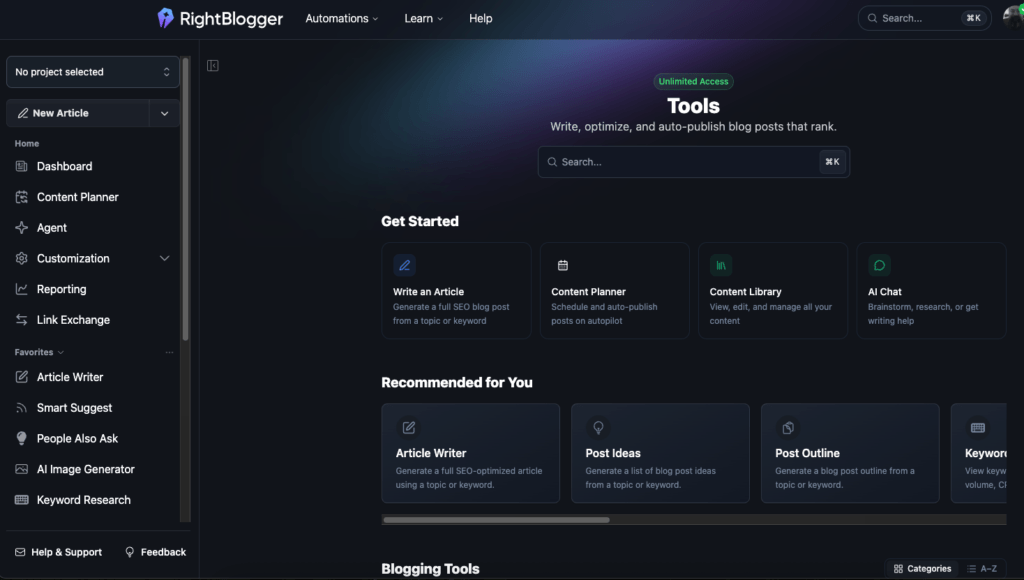
Step 2: Building the Outline
This is probably the feature I use more than anything else.
Before discovering RightBlogger, I’d often spend twenty or thirty minutes trying to organize my thoughts into a logical article.
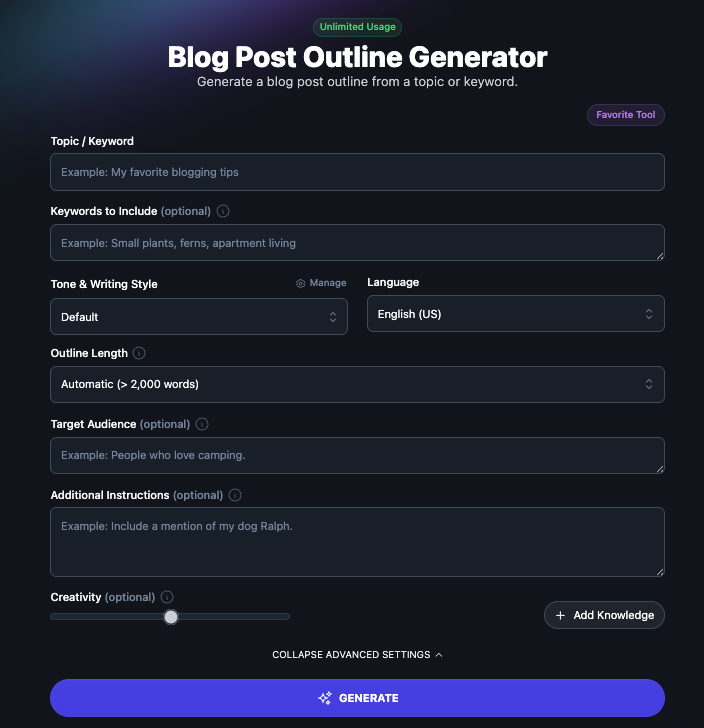
Now I usually begin with the Outline Generator.
It gives me a starting framework that I can rearrange, expand, or simplify depending on the topic.
The important part is that I never copy the outline exactly as it’s generated.
Instead, I ask myself:
Would this answer the reader’s question?
Does it follow the search intent?
Am I missing anything based on my own experience?
The AI saves me from staring at a blank page.
The final outline still comes from me.
Step 3: Filling the Gaps
Once my outline is finished, I usually know where I need help.
Sometimes it’s an introduction.
Sometimes it’s a section explaining a technical concept.
Other times it’s a list of FAQs I may have overlooked.
Instead of generating an entire article and hoping it sounds human, I use RightBlogger in smaller pieces.
I’ll generate an introduction.
Rewrite a paragraph.
Expand a section.
Generate FAQ ideas.
Improve readability.
This approach gives me much more control over the finished article.
The content still sounds like me because I’m guiding every step instead of asking AI to do everything.
Step 4: Fact Checking Comes Before Publishing
This is one area where I refuse to cut corners.
AI can organize information.
It cannot guarantee it’s correct.
Before publishing anything, I verify product features, pricing, policies, statistics, and important claims using official sources whenever possible.
That’s especially important when writing reviews.
Readers are trusting me to help them spend their money wisely.
That trust is worth more than publishing one article a little faster.
Step 5: Editing Is Where the Article Becomes Mine
This is where I probably spend the most time.
The first draft is never the finished product.
I remove repetitive wording.
Rewrite awkward sentences.
Add personal examples.
Expand areas where I have firsthand experience.
Remove anything that feels generic.
Sometimes I cut hundreds of words.
Other times I double the size of the article because I realize the AI skipped an important explanation.
Editing is where experience beats automation every time.
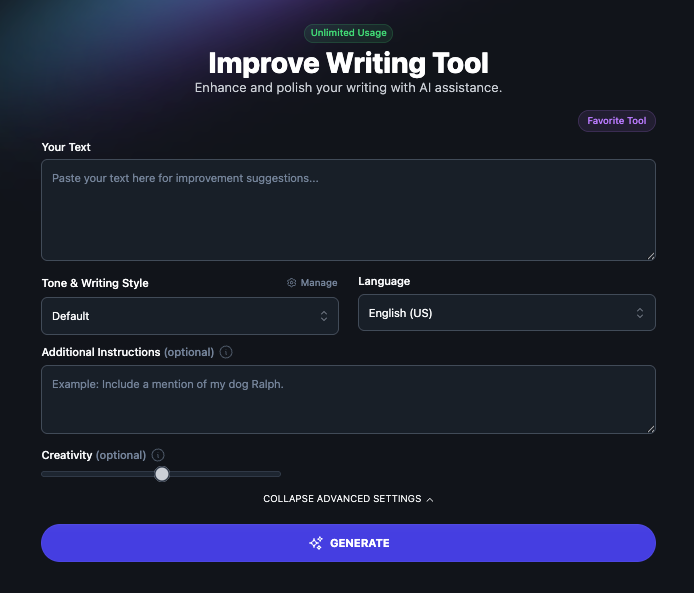
Step 6: The Final Polish
Before publishing, I go through the same checklist on almost every article.
- Does the introduction answer the reader’s question quickly?
- Are the headings easy to scan on a phone?
- Have I added internal links where they actually help?
- Does the meta description encourage clicks?
- Did I include helpful images?
- Is my affiliate recommendation honest and relevant?
RightBlogger helps me move through each of those tasks much faster.
It doesn’t replace my judgment.
It gives me more time to use it.
My Biggest Lesson After Publishing Hundreds of Articles
When I first started blogging, I believed success came from publishing as many articles as possible.
Today I believe something completely different.
Success comes from publishing better articles.
A well-researched article that genuinely helps readers is worth far more than five rushed posts filled with generic information.
That’s why I don’t think of RightBlogger as an AI writer.
I think of it as a productivity tool.
It handles many of the repetitive parts of blogging so I can spend more time doing the things AI can’t do for me.
Thinking.
Testing.
Researching.
Sharing my own experience.
Helping readers make better decisions.
RightBlogger Review: The Tools I Actually Use
One thing I’ve learned after using AI for blogging is that you don’t need to use every tool to get real value from a platform.
RightBlogger includes dozens of tools, and that’s one of the reasons people sometimes feel overwhelmed when they first log in.
That wasn’t my experience for long.
After a few weeks, I naturally settled into a handful of tools that became part of my everyday workflow. Those are the ones that save me the most time and the ones I continue coming back to.
1. Outline Generator ⭐⭐⭐⭐⭐
If I had to keep only one RightBlogger tool, this would probably be it.
A good article starts with a good structure.
Before using RightBlogger, I’d often spend more time organizing my thoughts than actually writing. I knew what I wanted to say, but turning a rough idea into a logical article wasn’t always easy.
The Outline Generator gives me a starting point.
Sometimes I use the outline almost exactly as it’s generated. Other times I completely reorganize it to better match search intent or include my own experience.
Either way, it saves me from starting with a blank page.
Why I use it
- Speeds up planning
- Helps organize ideas
- Prevents thin articles
- Makes it easier to cover a topic completely
Would I use it every day?
Absolutely.
2. FAQ Generator ⭐⭐⭐⭐⭐
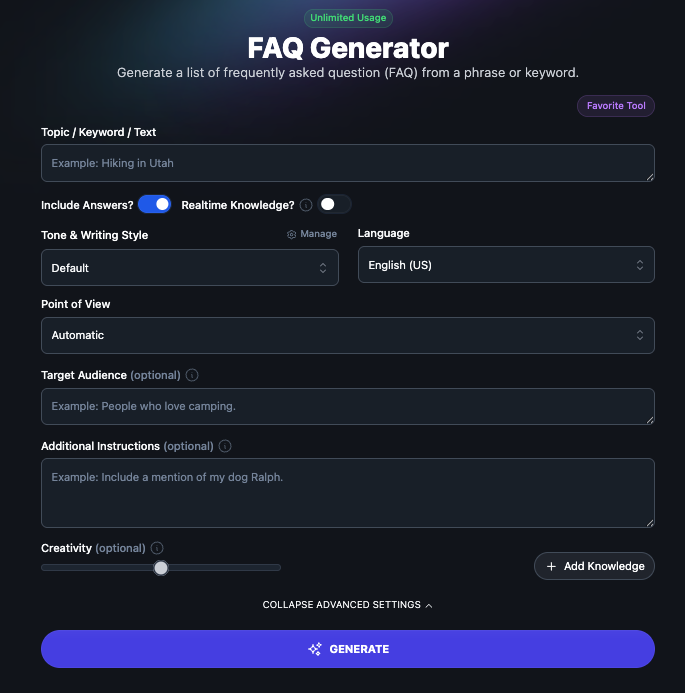
This tool has become one of my favorites.
Not because it writes FAQs for me.
Because it reminds me of questions I might have forgotten to answer.
Google rewards helpful content.
If readers are asking the same questions repeatedly, those answers belong in the article.
I still edit every FAQ.
I still fact-check every answer.
But starting with a solid list of questions saves me a surprising amount of time.
3. Meta Description Generator ⭐⭐⭐⭐⭐
Writing a great article and then rushing through the meta description never made much sense to me.
After spending hours creating helpful content, those few lines in Google’s search results determine whether someone clicks or scrolls past.
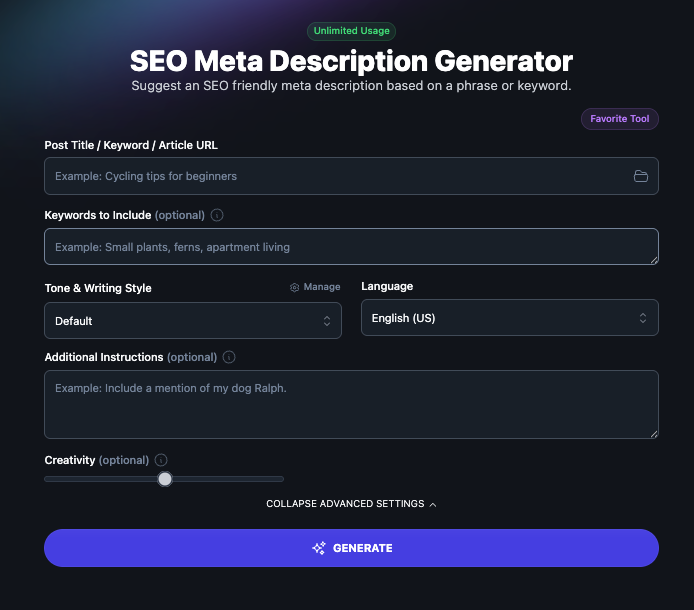
I use the Meta Description Generator as a starting point.
Sometimes I use its suggestion almost unchanged.
Other times I combine two or three ideas into something stronger.
Either way, it’s much faster than starting from scratch.
4. Social Post Generator ⭐⭐⭐⭐⭐
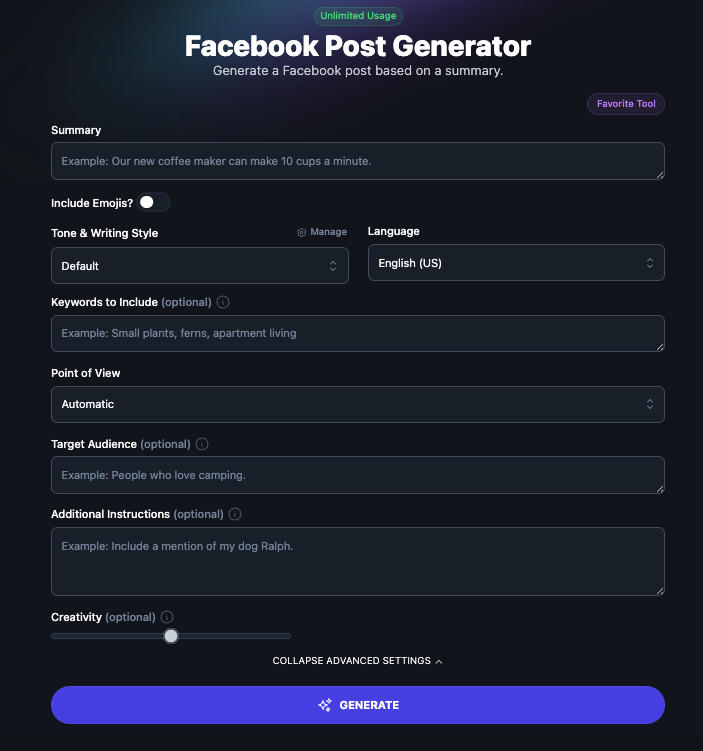
Every article deserves promotion.
The problem is that writing social media posts after spending hours on an article is usually the last thing I feel like doing.
That’s where this tool saves me time.
I generate a few ideas, adjust them to match my voice, and schedule them across my social accounts.
Again…
I don’t copy and paste.
I personalize them first.
Shown is the Facebook post generator. There is also ones for Linkedin, X and Instagram available as well.
5. Content Improver ⭐⭐⭐⭐⭐
This might be the most underrated tool inside RightBlogger.
Most bloggers focus on creating new articles.
I’ve learned that updating older articles often produces a better return on my time.
The Content Improver helps me identify areas that need expansion, improve readability, and strengthen sections that feel weak.
I still decide what stays.
But it helps me see opportunities I may have missed.
6. Keyword Research Tools ⭐⭐⭐⭐☆
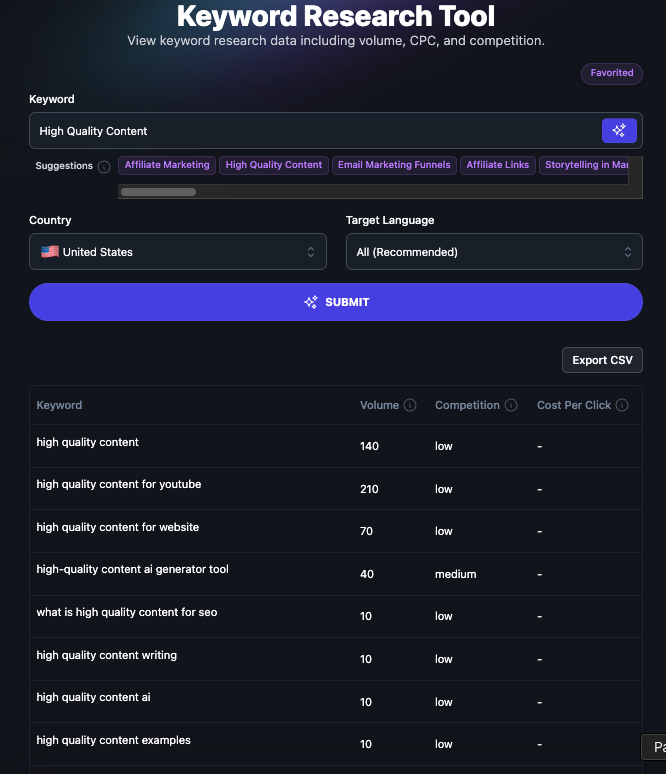
Keyword research isn’t about chasing the biggest numbers.
It’s about understanding what people are actually searching for.
I don’t blindly trust keyword suggestions from any tool.
Instead, I use them as a starting point.
Combined with Google Search Console, they’re incredibly useful for discovering new article ideas and improving existing content.
The Tools I Rarely Use
This section is just as important.
Every review says:
Everything is amazing.
That’s not real.
There are tools inside RightBlogger that I simply don’t use very often.
Not because they’re bad.
Because they don’t fit my workflow.
Your workflow may look completely different from mine.
And that’s okay.
One of the strengths of RightBlogger is that you can build your own system instead of forcing yourself to use every feature just because it’s available.
My Favorite Feature Isn’t Actually a Feature
If someone asked me what my favorite thing about RightBlogger is…
I wouldn’t say the Outline Generator.
Or the FAQ Generator.
Or the Meta Description Generator.
I’d say this:
Everything is in one place.
Before RightBlogger, I bounced between multiple AI tools.
One for outlines.
Another for headlines.
Another for social media.
Another for meta descriptions.
Another for brainstorming.
That constant switching interrupted my focus.
Now most of my content workflow happens inside a single platform.
That alone has made blogging feel much less fragmented.
Has RightBlogger Changed How I Build Websites?
Yes.
Not because it writes better than I do.
Because it allows me to spend more time doing the work that actually matters.
Research.
Testing.
Learning.
Improving older articles.
Helping readers.
That’s where successful websites are built.
AI should support those activities.
Not replace them.
🚀 My RightBlogger Workflow
This is the exact workflow I follow for nearly every article I publish. RightBlogger doesn’t replace my writing—it helps me move through the repetitive tasks faster so I can focus on creating useful content.
Curious About My Workflow?
This is the exact process I use nearly every day. If you’d like to explore the same tools I’m using, you can start here.
💡 My Biggest Tip
If you’re new to RightBlogger, don’t try to master every tool on day one. Pick three that solve your biggest bottlenecks—mine were the Outline Generator, FAQ Generator, and Meta Description Generator. Once those become part of your routine, start exploring the rest.
Mistakes I Made Before Using RightBlogger
I used to spend too much time…
- planning articles
- rewriting introductions
- forgetting FAQs
- ignoring older content
- switching between AI tools
RightBlogger didn’t solve every problem.
But it solved those.
Would I Pay for RightBlogger Again?
After publishing hundreds of articles across multiple affiliate websites, I can honestly say that RightBlogger has earned a permanent place in my workflow.
Not because it writes perfect articles.
Not because it guarantees rankings.
And certainly not because it’s a shortcut to building a successful website.
I still research every topic.
I still fact-check every important claim.
I still edit every article before it goes live.
Those responsibilities will always belong to me.
What RightBlogger does exceptionally well is remove many of the repetitive tasks that slow bloggers down every day. Instead of staring at a blank page, I can start with a structured outline. Instead of spending time brainstorming FAQ questions or writing meta descriptions from scratch, I can focus on improving the parts of an article that truly benefit from personal experience.
That’s why I continue paying for it.
If I lost access to every AI tool tomorrow and could only keep one specifically for blogging, RightBlogger would be at the top of my list.
It helps me work faster without taking away my voice, and that’s exactly what I want from AI.
If you’re looking for software that will build an online business for you, this probably isn’t it.
If you’re looking for a tool that helps you spend less time on repetitive blogging tasks and more time creating genuinely helpful content, I think RightBlogger is well worth considering.
Pros and Cons
✅ Pros
- Built specifically for bloggers and affiliate marketers
- Saves a significant amount of planning and editing time
- Everything is available in one platform
- Excellent Outline Generator and FAQ Generator
- Great for updating older articles
- Regularly adds new tools and features
- Easy to learn without complex prompts
❌ Cons
- The number of tools can feel overwhelming at first
- AI output still requires editing and fact-checking
- It won’t replace SEO knowledge or writing experience
- Some tools will be more useful than others depending on your workflow
Who Should Buy RightBlogger?
RightBlogger is an excellent choice if you:
- Build affiliate websites.
- Publish blog content regularly.
- Want to spend less time on repetitive tasks.
- Prefer editing quality drafts instead of starting from a blank page.
- Need blogging-specific AI tools instead of a general-purpose chatbot.
- Value having dozens of content tools in one place.
Who Might Want Something Else?
RightBlogger may not be the best fit if you:
- Expect AI to build an entire business with little effort.
- Rarely publish blog content.
- Only need an occasional AI chatbot.
- Aren’t willing to review and edit AI-generated content before publishing.
Frequently Asked Questions
Is RightBlogger worth the money?
In my experience, yes. It has saved me hundreds of hours by speeding up outlining, editing, FAQ creation, meta descriptions, and content planning. I still do the research and editing, but the platform removes much of the repetitive work.
Is RightBlogger better than ChatGPT?
They serve different purposes. ChatGPT is an excellent general-purpose AI assistant, while RightBlogger is built specifically for bloggers with specialized tools like the Outline Generator, FAQ Generator, Meta Description Generator, and Social Post Generator.
Does RightBlogger write complete blog posts?
It can, but I don’t recommend publishing AI-generated articles without editing. I use it to build outlines, improve sections, generate ideas, and speed up my workflow while adding my own experience and fact-checking.
Can beginners use RightBlogger?
Absolutely. In fact, I think beginners benefit the most because it provides structure and helps overcome the blank-page problem that many new bloggers face.
What RightBlogger feature do you use the most?
The Outline Generator is easily my most-used tool. It gives me a strong starting structure for almost every article I publish.
Does RightBlogger help with SEO?
It helps organize and optimize content, but it doesn’t replace good SEO practices. You still need to understand search intent, write helpful content, and keep your articles updated.
Is RightBlogger only for affiliate marketers?
No. While it’s excellent for affiliate marketing, it’s equally useful for business websites, personal blogs, freelance writers, agencies, and anyone who publishes content regularly.
Would you buy RightBlogger again?
Without hesitation. After using it extensively, it’s become one of the few AI subscriptions I continue renewing because it consistently saves me time and improves my workflow.
Ready to Simplify Your Blogging Workflow?
If you’ve read this far, you’ve seen exactly how RightBlogger fits into my daily publishing routine. It hasn’t replaced my experience or my writing—it has simply helped me spend more time creating useful content and less time on repetitive tasks.
If you’re serious about building a blog or affiliate website, I think it’s well worth trying.
Affiliate Disclosure: If you purchase through my link, I may earn a commission at no additional cost to you. I only recommend tools I personally use and trust.