
AI can speed up your writing, but it cannot replace your judgment.
- Use AI to turn keywords into ideas, outlines, and cleaner drafts.
- Edit every AI draft for facts, clarity, and your voice.
- Add your own stories, results, and opinions to build real trust.
- Write for people first and search engines second to avoid spammy content.
- Use AI to refresh old posts with better hooks, structure, and updated info.
Let AI handle the heavy lifting, then let your experience decide what earns a click and a bookmark.
Using AI Content Generators To Boost SEO (Without Losing Trust)
If you blog, run an affiliate site, or write emails for your business, you have probably heard a lot about AI content writing tools like AI Content Generators by now.
These tools promise full blog posts in seconds, lists of keywords, and even catchy titles. It sounds almost too good, especially when you are staring at a blank page and watching your organic traffic stall.
Used well, AI tools can help you publish more helpful content, show up for more long-tail searches, and save a lot of time. Used badly, it can flood your site with thin, generic posts that search engines ignore.
This guide walks through how to use AI content in a smart, ethical way that supports real Search Engine growth, not spam. We will keep it simple, practical, and focused on helping you write content that real people actually want to read.
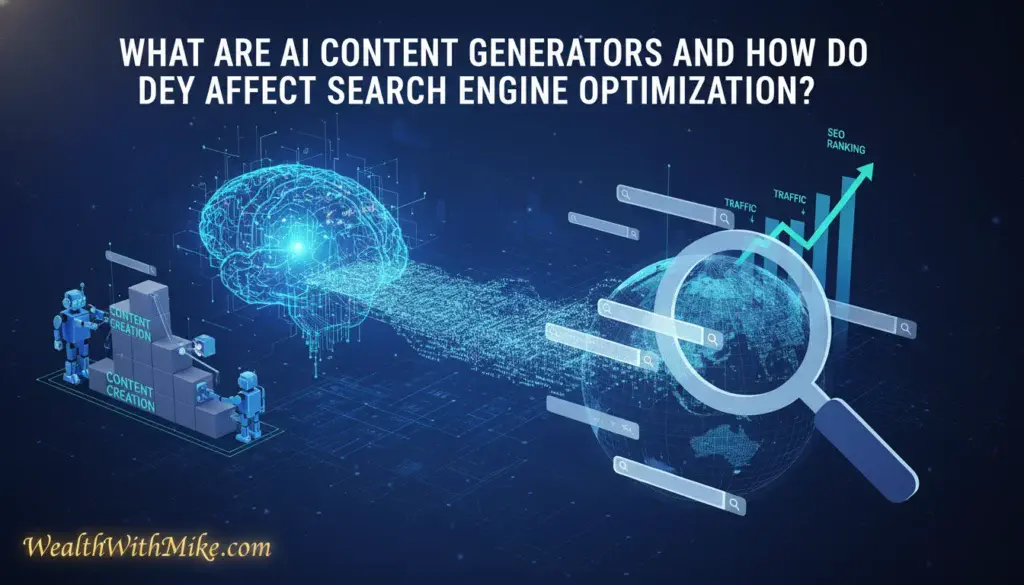
What Are AI Content Generators And How Do They Affect Search Engine Optimization?
At a basic level, AI Content Generators are tools that help you write. You give them a prompt, such as a keyword, a question, or a short brief, and they return a draft in a few seconds.
Common examples are ChatGPT, Jasper, Rytr, Gemini, Writesonic, and SEO-focused tools like Surfer. Many of these offer a free plan, helping keep the cost low for beginners. Platforms like RightBlogger and Wealthy Affiliate also build AI into their blogging workflows, so the tech is baked into many tools you might already use.
Search engines, especially Google, have been clear in 2025 about how they see this. They do not care if a human or an AI wrote the first draft. They care if the final article is helpful, original, and accurate.
Google now openly says that AI-generated content can rank well if it is high-quality content and created to help people, not just to game rankings. If your content is generic, shallow, or stuffed with keywords, it can still perform badly, even if a human wrote every word.
So AI can help when it streamlines content creation and content generation, letting you publish clearer, more complete content. It can hurt you when it tempts you to push out lots of low-value posts without your own thinking or experience baked in.
Simple Explanation Of AI Content Generators
Think of an AI Content Generator as a very fast AI writer.
You type in a prompt like, “Write a blog post about how to start affiliate marketing for beginners,” and within seconds, you get a complete draft. These tools produce human-like output that relies on sophisticated natural language processing. Not perfect, but something you can work with.
These tools can help you:
- Suggest blog titles and hooks
- Build outlines for long articles
- Write product descriptions, emails, and social media posts
- Suggest keywords and related topics
In practice, you might start with one main keyword, ask the AI for 10 post ideas around it, then pick the ones that best match your audience’s needs. It feels a bit like brainstorming with a partner who never gets tired.
How AI Written Content Can Help Or Hurt You
From a content marketing perspective, AI is a mixed bag.
On the positive side, AI helps content creators:
- Publish more often
- Create keyword-rich drafts
- Cover related topics and long-tail questions faster
This can strengthen your authority on a niche topic, especially when paired with smart internal linking and a clear content plan. For a deeper look at that bigger picture, this guide on how to build niche authority in 2025 is a helpful companion.
On the negative side, AI can also:
- Repeat ideas in a vague way
- Miss important details or get facts wrong
- Produce content that sounds like everyone else
Search engines focus on “people-first” content. That means your article should still be useful, clear, and honest even if no algorithm existed. If you just copy-paste AI drafts without editing, you risk thin content, lower rankings, and readers who never come back.

Practical Ways To Use AI Content
Used as a helper, not a replacement, AI can quietly support almost every step of your creation process. Let us look at a few practical moves you can use right away.
Use AI To Turn Keywords Into Clear Content Ideas
Start with a simple keyword or question. For example:
- “best running shoes for flat feet”
- “how to start a food blog”
- “email marketing tips for small business”
Then ask your AI tool to suggest:
- Blog post ideas around that keyword
- Alternative titles with different angles
- Related long-tail questions people might ask
You can even ask for the search intent. The goal of inputting a keyword or question is to determine the search intent, a key part of content marketing. Something like, “For this keyword, is the person trying to learn, compare, or buy?” helps you decide if the post should be a how-to guide, a comparison, or a product review.
The goal is not to accept every idea. It is to spot patterns and find topics that match what your audience already cares about.
Draft Outlines And First Drafts In Minutes
Once you have your idea, ask ChatGPT for an outline. A simple prompt could be:
“Create an outline for a 1,000-word blog post about [keyword], for beginners, with a friendly tone. Include an intro, 3–4 main sections, and a short conclusion.”
This AI assists with structuring long-form content, and you get a first draft structure you can tweak in seconds. After that, I like to work section by section. For each heading, you can ask ChatGPT or use Jasper:
“Write this section in 2–3 short paragraphs, keep the tone casual, and avoid technical jargon.”
This keeps you in control of the flow and avoids a huge, messy wall of text. AI tools that bundle many features into one workflow, like in-depth suites you might see in an AI-powered blogging tools roundup, can make this even smoother.
Remember, the first draft is not the final draft. Treat it as raw material and plan to rewrite parts in your own voice.
Improve Titles, Meta Descriptions, And Featured Snippets
Strong titles and meta descriptions help both clicks and rankings. AI is very handy here for copywriting.
You can ask your tool, like Rytr, to provide templates and:
- “Suggest 10 SEO titles using this keyword, under 60 characters.”
- “Write 5 meta descriptions under 155 characters that highlight the benefit.”
- “Write a 40–50 word answer to this question that could work as a featured snippet.”
Look for titles with clear benefits and strong verbs. For example, “Cut Your Grocery Bill In Half With These Simple Meal Prep Tips” is clearer than “Helpful Meal Prep Advice.”
Do not settle for the first option. Skim several, mix and match phrases, and pick the one that fits your style.
Refresh Old Posts To Win Back Rankings
AI is also great for improving what you already have.
Take an older post that used to rank but has slipped. Paste it into your AI tool and try prompts like:
- “Update this article for 2025 and suggest what is missing.”
- “Make this easier to read at an 8th-grade level.”
- “Suggest FAQs and concise answers related to this topic.”
- “Highlight parts that feel repetitive or unclear.”
Even small updates help. A sharper intro, better headings, a clearer example, and a short FAQ section can make a big difference without writing a brand-new article.
If you publish a lot of AI-assisted content, it is also smart to understand who owns what. This overview on AI-generated content copyright walks through the legal side in more detail, which matters more than many people think.
Best Practices For Using AI Content Writing Tools Safely And Ethically
So how do you use AI content writing tools without crossing the line into spam or risking penalties? The good news is that the rules are simple, even if people love to overcomplicate them.
Always Edit AI Content For Voice, Facts, And Value
Treat the AI writer’s output as a draft, never as a finished article.
Before you hit publish, always edit the AI generated content to improve output quality:
- Check facts, stats, and product details
- Fix awkward phrasing and stiff sentences (use ChatGPT to check for repetition and clarity)
- Cut fluff and add concrete examples
- Insert your own stories, results, or opinions
If you have used a tactic you are describing, say so. Even a short line like, “I tested this on my own site and saw X result,” adds trust that pure AI text simply cannot fake.
This is also where you make the piece sound like you. Your readers want your voice, not a generic internet voice; they want truly human-like text.
Avoid AI Spam By Writing For People First, Search Engines Second
AI becomes a problem when you use it to generate high-volume content just to chase keywords. That might work for a few weeks, but it will usually backfire and lead to Google penalties.
Red flags to avoid:
- Stuffing the same keyword into every heading
- Publishing many near-duplicate posts
- Writing about topics you do not understand at all
- Relying solely on simpler outputs from tools like Rytr
- Letting AI decide everything without your review
A simple test helps. If search traffic disappeared tomorrow, would this article still help someone who found it through a friend or an email? (Use ChatGPT to summarize key takeaways and confirm it stands alone.) If the answer is yes, you are probably on solid ground.
Your long-term wins come from trust, depth, and consistency, not from tricks.
Are AI content generators safe for SEO?
›
Yes, when you use them as a helper, not as auto-publish machines. Search engines care about helpful, original content. They do not care if AI wrote the draft as long as you edit for quality, trust, and accuracy.
Will Google penalize my site for AI-written content?
›
Google does not punish content just because AI helped write it. Problems show up when you push out thin, keyword-stuffed posts with no real value. If you fact-check, add your experience, and write for people first, you stay on the right side of their rules.
How should I use AI content tools in my workflow?
›
Use AI for ideas, outlines, and first drafts. Then step in and tighten the structure, fix weak lines, check facts, and add your stories and opinions. Treat every AI draft like raw notes from an assistant, not a finished blog post.
Do I need to tell readers I used AI?
›
That is your call. Many sites add a short note that AI helped with drafting or research while a human handled the final edit. If you work in a trust-heavy niche, that level of transparency can actually build more confidence.
How do I keep AI-written posts from sounding generic?
›
Start with better prompts and end with stronger edits. Ask AI to write for a clear audience and problem, then go through and add concrete examples, screenshots, numbers, and real outcomes from your own work. Readers stay for your take, not for stock advice.
Can I use AI to update old blog posts?
›
Yes, this is one of the best uses. Ask AI to flag gaps, rewrite clunky sections, suggest new headings, and update examples for the current year. Then review everything line by line and keep only the changes that improve clarity and depth.
Short version: let AI speed you up, but keep your name, judgment, and standards on every post.
Conclusion
AI content creation tools are powerful, but they are still just tools. Used well, they help you research keywords, outline posts, write faster, and polish titles and meta descriptions, all in support of search engine optimization and happier readers.
The key is to keep your judgment in charge. Let AI handle the heavy lifting, then use your experience, stories, and standards to decide what stays and what changes.
If you want a simple next step, pick one older post that already gets some traffic. Use ChatGPT to suggest an updated outline, a fresh intro, and a tighter meta description, then rewrite it in your own words.
That small test will show you quickly how AI can support your content, without ever replacing you.
AI speeds up research, outlines, and drafts. Your voice builds trust. Use AI to work faster, then use your judgment to create content that feels real, clear, and worth reading.