
- Quick Answer
- My Kre8or AI Experience Started Before the Public Launch
- Creating AI Images Before Kre8or
- The Biggest Surprise During My Kre8or AI Experience
- 💡 Did You Know?
- Before Kre8or vs After Kre8or
- Why Kre8or AI Feels Different Than ChatGPT, Gemini, and Other Image Generators
- One Feature I Didn't Expect to Use So Much
- Workshops Changed My Workflow
- More Than an AI Image Generator
- The Community Aspect Makes a Difference
- A Real Creator Economy
- Who I Think Kre8or AI Is Best For
- Do I Still Use Other AI Tools?
- Another Early Tester Put Kre8or Through Its Paces
- My Final Thoughts on My Kre8or AI Experience
- Frequently Asked Questions About My Kre8or AI Experience
- Ready to Experience Kre8or for Yourself?
Quick Answer
My Kre8or AI experience has been a complete shift in how I create images. As an early beta tester and someone who generates dozens of AI images every day, I found that Kre8or dramatically reduced the need for long, complicated prompts. Instead of spending time rewriting prompt after prompt, I can focus on the creative idea itself while using features like Workshops, the Gallery, and community tools to refine, publish, and share my work. For me, the biggest advantage isn’t just creating high-quality images—it’s getting to those results faster with a much simpler workflow.
Bottom line: If you’re tired of prompt engineering and want to spend more time creating than tweaking prompts, Kre8or offers a refreshingly different approach to AI image generation.
There are a lot of AI image generators available today.
I’ve tried most of them.
From Midjourney to Whisk (now Flow), ChatGPT, Gemini, and several others, I’ve spent countless hours creating images for my websites, social media, affiliate marketing, and client projects. If you’ve followed me for any length of time, you already know that images are what I do. Some days I’ll create a dozen. Other days it’s several dozen. Over time, you learn what works, what doesn’t, and perhaps more importantly, where the biggest time sinks are.
This isn’t a traditional Kre8or AI review.
It’s my Kre8or AI experience as someone who was fortunate enough to become an early beta tester and watch the platform evolve from the inside.
I also want to be completely transparent. If you decide to join Kre8or through the link at the end of this article, I may earn a commission at no additional cost to you. That hasn’t influenced anything you’re about to read. Everything here comes from my own experience using the platform.
My Kre8or AI Experience Started Before the Public Launch
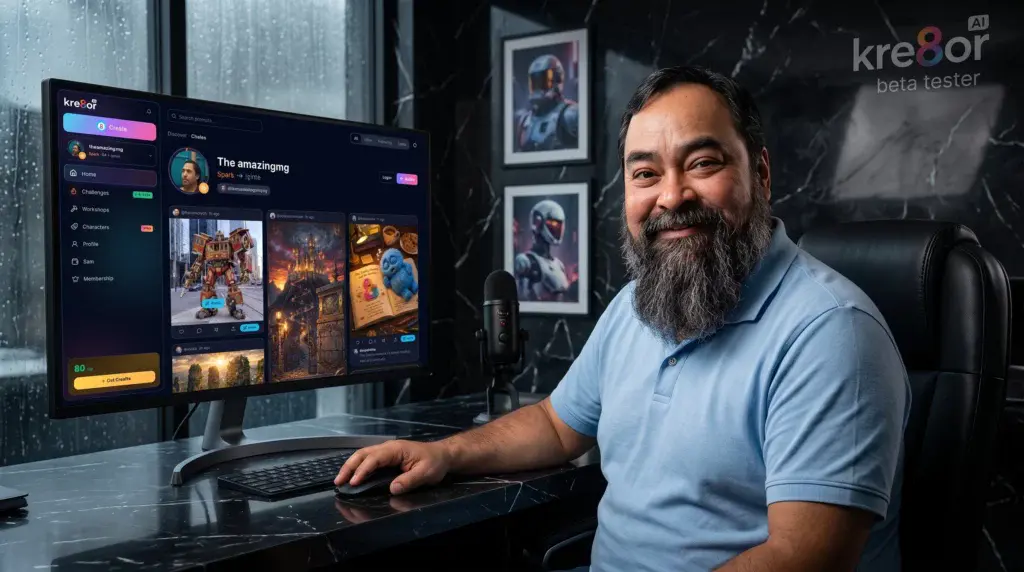
When I first gained access to Kre8or, I honestly wasn’t looking for another AI image generator.
The market already had plenty of those.
My workflow was established. I knew how to write prompts. I had folders filled with prompt templates. I’d saved prompts from Reddit, Discord, YouTube videos, and my own experiments. Like many creators, I’d gradually become as much of a prompt engineer as an image creator.
That was simply part of the job.
If I wanted a cinematic editorial photograph, I’d often write several paragraphs describing the camera, lens, lighting, composition, mood, color grading, aspect ratio, subject placement, and dozens of little details.
It worked.
Most of the time.
The downside was obvious.
I was spending almost as much time creating prompts as I was creating images.
Creating AI Images Before Kre8or
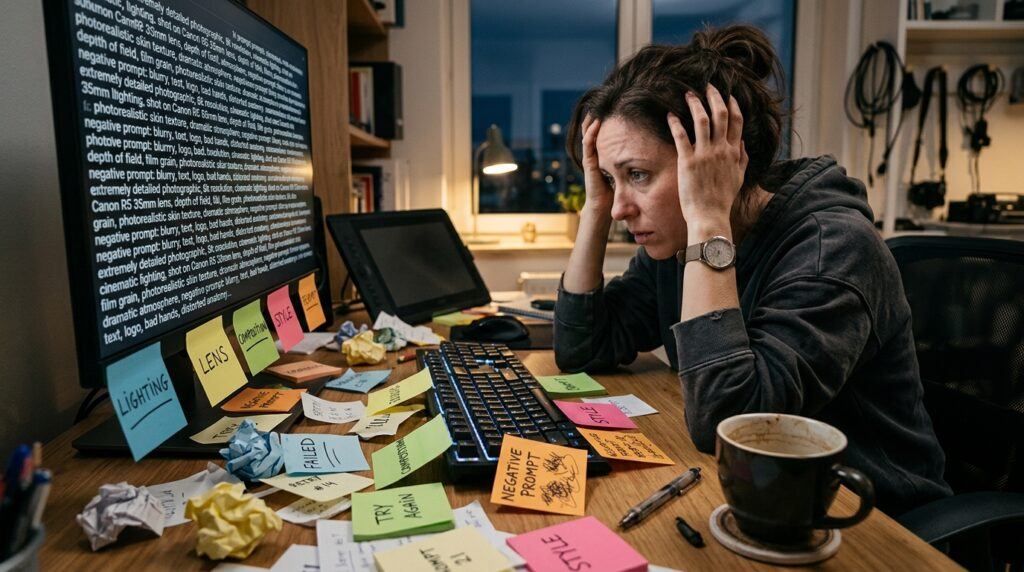
I think this is something many people can relate to.
You finally come up with a great idea.
Now comes the difficult part.
How do you explain that idea to the AI?
You tweak wording.
You move sentences around.
You add weights.
You remove weights.
You generate.
You don’t quite get what you wanted.
You rewrite.
You generate again.
Repeat.
If you’ve used Midjourney or other professional image generators, you’ve probably experienced exactly what I’m talking about.
Prompt engineering became a skill all on its own.
For a while, I actually enjoyed it.
Then it slowly became the bottleneck.
The Biggest Surprise During My Kre8or AI Experience
Most people assume I’m going to say the images were immediately better.
That’s actually not the first thing I noticed.
The biggest change was that I stopped writing long prompts.
Seriously.
That was the moment where I realized Kre8or approached image creation differently.
Instead of trying to convince the AI with paragraph after paragraph, I found myself writing short prompts.
Simple prompts.
Natural prompts.
The platform handled much of the heavy lifting.
That doesn’t mean prompt writing disappears completely. Understanding what you want will always matter.
What surprised me was how much less work I had to do to get there.
As someone who has spent years refining prompts, that was honestly refreshing.
💡 Did You Know?
One of the biggest challenges with early AI image generators wasn’t creating images—it was learning how to communicate with them. Many creators spent months building massive prompt libraries, experimenting with camera settings, lighting descriptions, artistic styles, and negative prompts just to consistently produce the images they envisioned.
Modern AI tools are beginning to move away from that approach by making image creation more intuitive. Instead of requiring lengthy prompt engineering, newer platforms focus on helping creators spend less time describing an idea and more time developing it. For creators who generate images every day, even saving a few minutes per image can add up to hours of time saved each week.
Before Kre8or vs After Kre8or
How my AI image creation workflow completely changed.
| ❌ Before | ✅ After |
|---|---|
| Long prompts | Short prompts |
| Endless rewrites | Faster creation |
| Prompt engineering | Creative ideas |
| Generate & leave | Create, publish & share |
| Images hidden in chats | Gallery & community |
| Individual workflow | Creator ecosystem |
My takeaway: The biggest change wasn’t simply creating better AI images. It was spending less time engineering prompts and more time creating, sharing, and improving ideas. That shift has probably saved me more hours than any other feature.
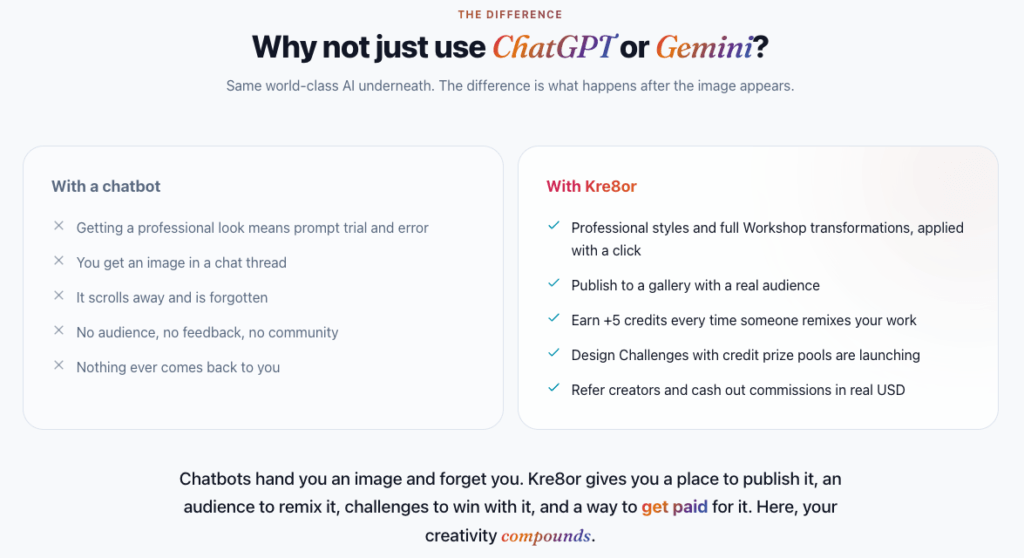
Why Kre8or AI Feels Different Than ChatGPT, Gemini, and Other Image Generators
People often ask me whether Kre8or uses the same AI technology underneath as other platforms.
That’s actually the wrong question.
The better question is this.
What happens after your image is generated?
This is where my Kre8or AI experience started feeling very different.
With many AI tools, your workflow ends here:
Generate.
Download.
Leave.
The image sits inside a conversation thread that eventually disappears behind newer chats.
Kre8or takes a different approach.
Instead of simply handing you an image, it builds an environment around creating, improving, publishing, and sharing your work.
That completely changes how you interact with your creations.
One Feature I Didn’t Expect to Use So Much
One of the first things I started relying on was the image suggestions.
Rather than staring at an image wondering how to improve it, Kre8or analyzes what’s already there and suggests transformations that fit the image itself.
Sometimes it’s improving lighting.
Sometimes it’s changing the mood.
Sometimes it’s transforming an ordinary photo into something that feels like it belongs in a magazine.
As someone who edits images constantly, this became surprisingly useful.
Instead of asking,
“What prompt should I write next?“
I found myself asking,
“Which transformation fits this image best?”
That’s a completely different mindset.
Workshops Changed My Workflow
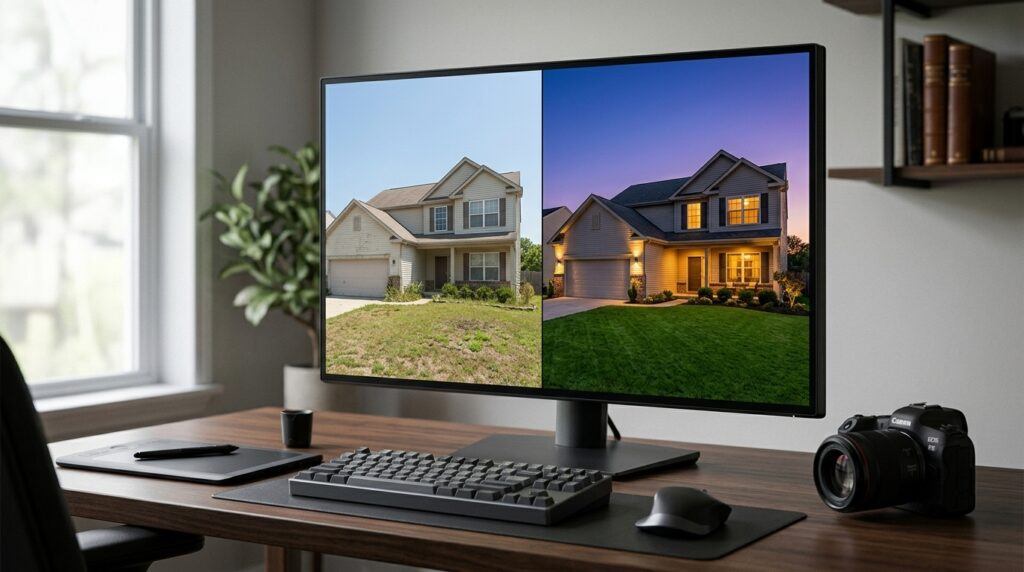
Another feature that became part of my daily routine is the Workshop system.
Rather than rebuilding prompts from scratch, Workshops let you apply guided transformations to an existing image.
Need to turn a daytime house into a dramatic twilight real estate photo?
There’s a Workshop for that.
Want to refresh kitchen cabinets?
There’s a Workshop for that.
Need to improve room aesthetics?
Again, there’s a Workshop designed specifically for that transformation.
Instead of becoming an expert prompt writer, you’re selecting from workflows that have already been refined.
That saved me a tremendous amount of time.
More Than an AI Image Generator
This might actually be the biggest difference.
Kre8or isn’t trying to be another chatbot.
It’s trying to become a creator platform.
That means your work has somewhere to live.
Instead of disappearing into chat history, images can be published in a gallery, viewed by other creators, remixed, commented on, and shared.
As someone who creates images every day, I actually appreciate this far more than I expected.
Creating something is rewarding.
Having people discover it later is even better.
The Community Aspect Makes a Difference
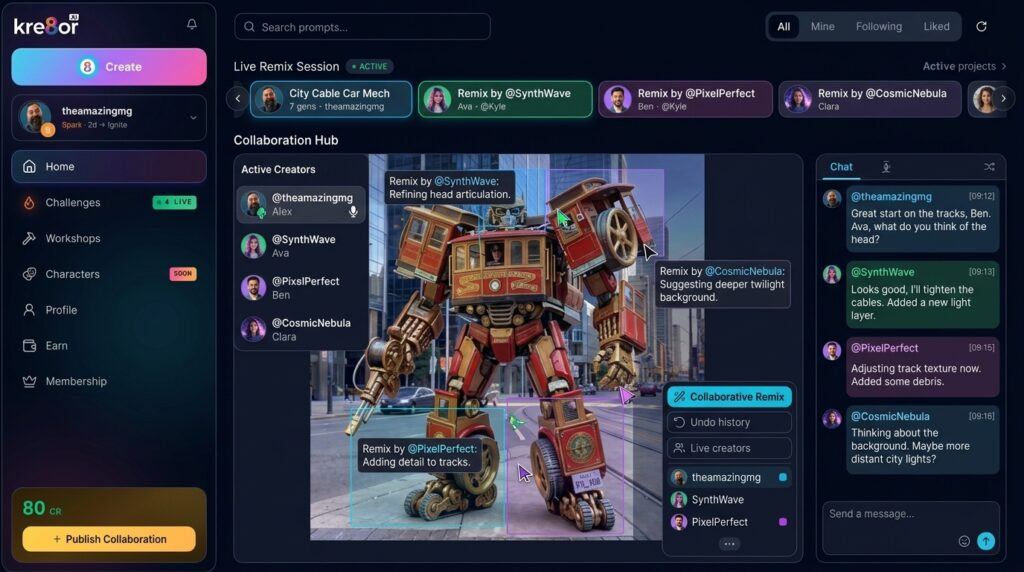
One thing I wasn’t expecting was the community.
When you publish work, people can interact with it.
They can like it.
Comment on it.
Follow your profile.
Remix your creations.
That last part is particularly interesting because it creates an entirely different relationship between creators.
Instead of everyone working in isolation, ideas can evolve.
Someone builds on your work.
Someone else builds on theirs.
The creative process becomes collaborative rather than isolated.
A Real Creator Economy
I’ll admit something.
When I first heard about credits and earning opportunities, I wasn’t overly interested.
I cared about making better images.
Over time, though, I started to appreciate the larger vision.
Kre8or has built a creator economy into the platform.
Credits can be earned through community interaction.
Referral commissions reward creators who introduce new members.
Future design challenges are planned to include prize pools.
Even profile reputation becomes part of the experience.
Whether someone joins for the community or simply wants another way to monetize their creativity, it’s a concept I haven’t really seen integrated this deeply elsewhere.
Who I Think Kre8or AI Is Best For
Based on my own Kre8or AI experience, I think the platform fits several types of creators particularly well.
Bloggers
Images can dramatically improve engagement, and creating them no longer feels like a separate full-time job.
Affiliate Marketers
If you’re constantly creating featured images, Pinterest graphics, social media content, or product visuals, the faster workflow is a real advantage.
Social Media Creators
The built-in styles and transformations make it easy to create content that stands out across multiple platforms.
Real Estate Professionals
The property enhancement Workshops immediately stood out to me. Day-to-dusk transformations and interior improvements can save considerable editing time.
Small Business Owners
Instead of hiring a designer for every marketing graphic, you can create polished visuals yourself without spending hours learning prompt engineering.
Do I Still Use Other AI Tools?
Absolutely.
I still use ChatGPT.
I still experiment with Flow.
I still test other AI platforms because technology changes quickly, and I enjoy seeing what’s new.
This isn’t an “either-or” situation.
Each tool has strengths.
But when my goal is creating images efficiently, Kre8or has become the platform I reach for first.
That wasn’t something I expected when I first joined the beta.
It’s simply where my workflow naturally ended up.
Another Early Tester Put Kre8or Through Its Paces
I was not the only early tester who recognized that Kre8or could become much more than another AI image generator.
Jeremy from From 0 to 100K joined Kre8or’s private beta in May 2026 and tested it across real-world scenes, cinematic prompts, concept images, remixing, creator profiles, and brand-building experiments. He also compared its results with ChatGPT image generation and Wealthy Affiliate’s Image Studio, previously known as DSGNPop.
What interested me most was how closely his conclusion matched my own. Jeremy found that Kre8or’s image quality was already impressive, but its larger advantage was everything built around the image. Remixing, image lineage, creator profiles, challenges, credits, and earning opportunities turn a finished image into the beginning of something larger.
He also offered a fair assessment of the platform’s early limitations. Kre8or performed especially well with polished, cinematic visuals, but it was not yet the ideal choice for technical diagrams, precise schematics, or images requiring exact labels and functional layouts. I appreciate that kind of balanced testing because no image generator is perfect for every job.
Jeremy’s review includes his original Kre8or creations, a side-by-side image-generation test, and a closer look at the creator ecosystem that separates Kre8or from more traditional AI image tools.
You can read Jeremy’s complete hands-on review here: Kre8or Review 2026: Wealthy Affiliate’s New AI Image Creator Put to the Test .
My Final Thoughts on My Kre8or AI Experience
If you’ve read this far, you’ve probably noticed something.
I haven’t spent much time talking about image quality comparisons, benchmark scores, or technical specifications.
That’s intentional.
Those things matter.
But they aren’t what changed my daily routine.
What changed my routine was the workflow.
For years, I accepted that creating AI images meant writing increasingly complicated prompts.
I thought that was simply the price of getting professional results.
Then Kre8or came along and challenged that assumption.
Today, I spend less time wrestling with prompts and more time focusing on ideas.
For me, that’s been the biggest takeaway.
My Kre8or AI experience isn’t about finding another image generator.
It’s about finding a platform that lets me spend more time creating and less time fighting the tools.
If you’re curious to see how it works for yourself, you can check out Kre8or here:
If you decide to join through my link, I may earn a commission at no extra cost to you. Whether you use my link or not, I hope sharing my experience has given you a clearer picture of what makes Kre8or different and whether it fits the way you create.
Frequently Asked Questions About My Kre8or AI Experience
These are the common questions I would ask if I were looking at Kre8or for the first time as a creator, blogger, or affiliate marketer.
I love the idea of not having to think of long prompts, but then how does the software know what you want? I guess we will need to try the software and see and also see how the guided tools help. It probably also has something to do with the other images that people are creating and that are being saved in the background. Can’t wait to try Kre8or and see for myself.
Hello Michel,
Thanks for taking the time to leave your question and remarks.
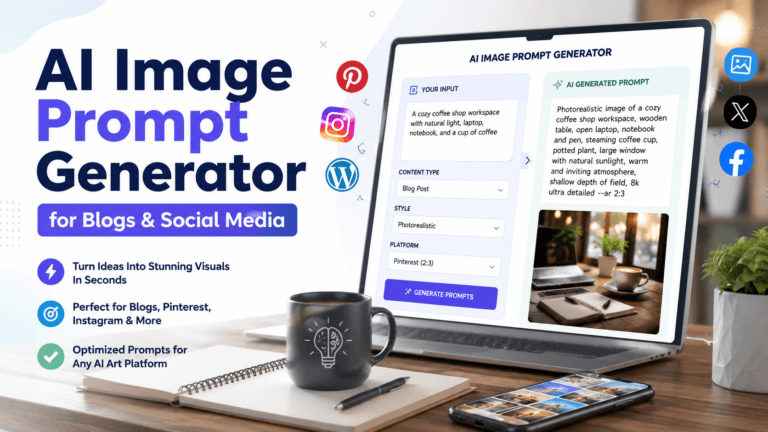
It is something you must experience for yourself. This is a smart AI that delivers exactly what you tell it you want to see. You can either use long or short prompts. If you need help with creating prompts, there are tools for that. For instance, you can check out a tool I created to create prompts for social media post. It is a free tool.
Thanks,
Michael
Hi Mike,
I am primarily a Gemini user for my own blog image creation, but your post really made me pause and think. That is a huge compliment because changing the mind of someone set in their ways is not easy, and it only happened because your insights clearly come from real, hands-on experience.
It is awesome that you were an early beta tester for this. You hit the nail right on the head regarding the massive bottlenecks we bloggers face with image generation.
Going through endless cycles of rewriting prompts and tweaking weights is incredibly tiring. If Kre8or genuinely removes that creative block and saves time, it is absolutely worth considering.
I do have two questions that are always my constant companions when evaluating new AI tools.
First, what is the situation with watermarks? Does the platform place one on the images, and if so, can we easily crop it out?
Second, what is their stance on copyright? Does it fall into the same debatable gray area as all other AI-generated art, or do they handle user ownership differently?
Thanks for sharing such a transparent look at your experience!
Hari
Hello Hari and thanks for taking the time to leave behind some remarks and a couple of questions.
In regards to watermarks. You may notice some images has the watermark in the lower right corner “Created By”Author” using Kre8or” This watermark can be removed when you click to download the image by unclicking the watermark box.
Additionally, you inquired about copyright. Every image you create, you have free use to and can decide when, where, and if it is shared. The image is yours.
Thanks for the questions, and if you have anymore. I am always about.
Michael
Michael, this was a strong read because you focused on the part that usually gets overlooked: the workflow after the image idea appears.
I can relate to the prompt-engineering bottleneck. I still enjoy developing detailed prompts when I have a very specific result in mind, but there are also days when I simply need to move from an idea to a usable image without turning the prompt itself into a separate project. Kre8or has made that transition much quicker for me, especially when I am creating several article images, social posts, or challenge entries in the same day.
Your point about the image not disappearing inside an old chat thread also stood out. The Gallery, remixing, challenges, comments, and creator profiles make the image feel like an asset rather than a one-time output. That community side is probably what separates Kre8or most from the tools that simply generate an image and send you on your way.
I also appreciated that you did not frame this as Kre8or replacing ChatGPT, Flow, or every other tool. Different platforms still serve different purposes, and the best workflow is often a combination of them.
Do you think the Workshops will ultimately become Kre8or’s biggest advantage, or do you believe the community and creator-economy side will become the feature that keeps people returning long term?
Hello JD and thanks for the insights.
I am glad you appreciate my view about kre8or not being a replacement for ChatGPT. Every generator has its own use in my opinion. However, the easy of use has me returning to the Kre8or platform time and again.
I think and feel going forward the greatest tool within the platform will be the community. This is something no other creation platform has. The ability to remix another’s work to grow upon an idea has blown my mind and something that I believe will only get better over time.