
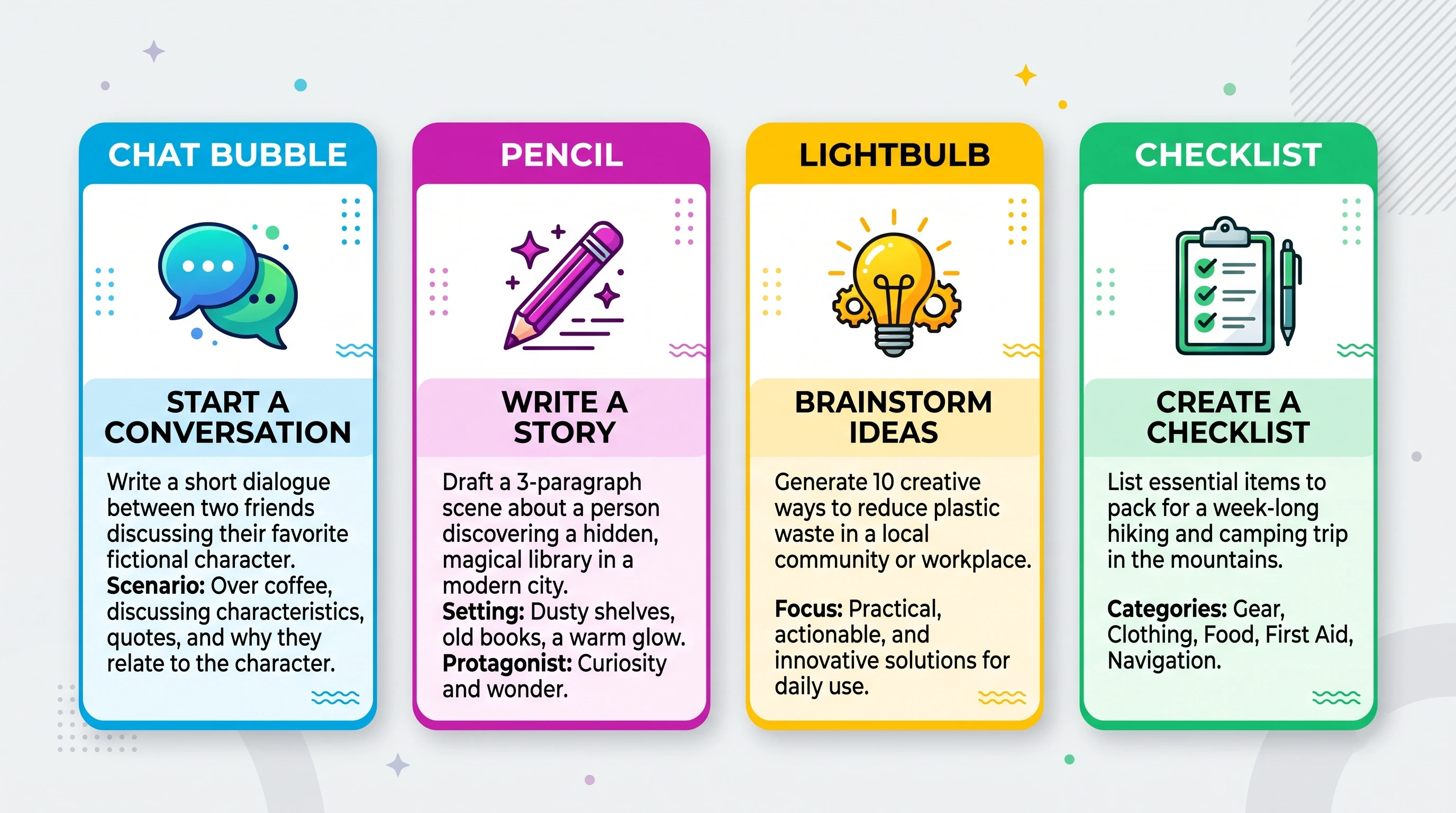
Prompt templates for beginners are reusable frameworks that make writing AI prompts faster and easier. Instead of starting from scratch every time, you follow a simple structure—such as defining the subject, context, style, format, and goal—to get more accurate and consistent results from tools like ChatGPT and AI image generators.
Prompt templates are one of those tools I wish I had tracked down sooner in my AI adventure. These handy blueprints help you get reliable and creative results from AI, whether you’re using chatbots or image generators. For beginners, prompt templates make things much less intimidating and help you put your ideas to work without needing to start from scratch each time.
- Why Prompt Templates Are a Big Deal for Beginners
- Getting Started: The Anatomy of a Beginner Prompt Template
- 3 Simple Prompt Templates Every Beginner Should Know
- How These Templates Help You Learn the Ropes
- Quickstart Guide: Making Prompt Templates Work for You
- Common Beginner Challenges and How to Tackle Them
- Where Can You Use Prompt Templates?
- Frequently Asked Questions
- A Little About My Journey
- Turn Your AI Skills Into a Real Online Business
- Key Takeaways for Beginners
Why Prompt Templates Are a Big Deal for Beginners
Stepping into the world of AI and prompt engineering can feel pretty overwhelming. There’s so much hype about complicated prompts and endless tweakable options. But the best starting point is learning simple, repeatable formats you can adjust for all sorts of projects. That’s where prompt templates shine; they’re like having training wheels for creative work and research.
Prompt templates help you stay consistent and get reliable results. You’ll avoid random outputs and frustration, and you’ll know exactly how to nudge the AI closer to what you want.
As you learn the basics, you’ll also get comfortable with terms you’ll see a lot, like “subject,” “context,” “goal,” and “constraints.” These words pop up everywhere in prompt writing, so getting a grip on them right away will help you later as prompts get more advanced.
Getting Started: The Anatomy of a Beginner Prompt Template
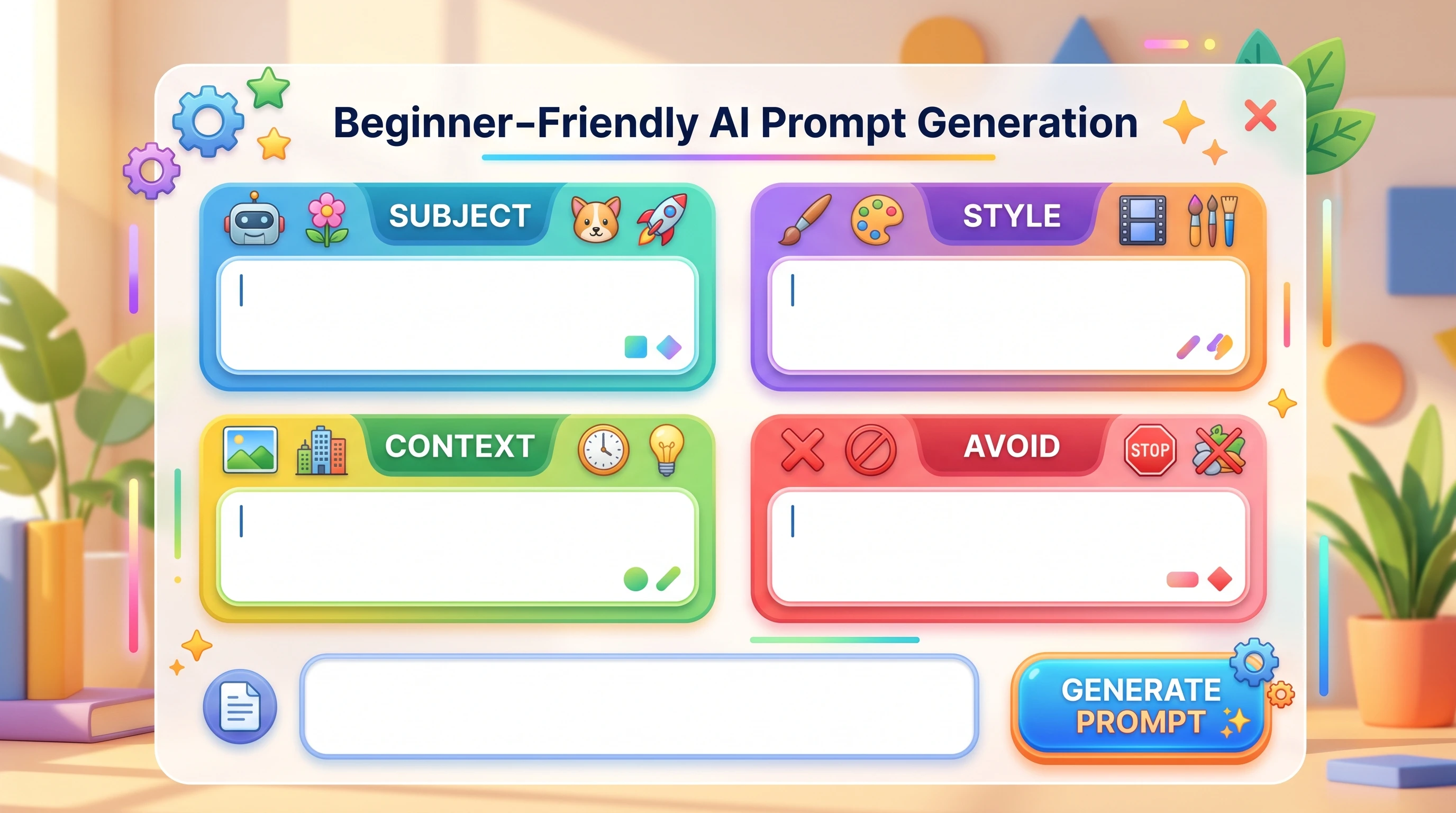
I like to break down prompts into six easy parts:
- Subject: What or who is the prompt about?
- Scene or Context: Where does it take place, or what’s the situation?
- Style or Tone: Should the result feel formal, casual, playful, or specific in another way?
- Format: Do you want a list, a paragraph, a dialog, a story, or something else?
- Hints or Details: Any extras to add flavor or limit the scope?
- What to Avoid: Anything you don’t want in the result?
This structure gives you a goto template for almost any prompt, from writing to image creation. You don’t need to fill every part every time, but covering these basics helps you avoid common new user headaches. A consistent structure also gives you a foundation to build your own unique templates as you grow more comfortable in your AI adventure.
3 Simple Prompt Templates Every Beginner Should Know
1. The “Explain Like I’m 5” Template
This one’s perfect if you want the AI to simplify a tricky idea, super helpful for students, parents, or anyone tackling tough topics.
Prompt Template:
Explain [concept] to a five-year-old.
Use simple words and a fun example.
Avoid technical terms.
Example:
Explain how photosynthesis works to a five-year-old.
Use simple words and a fun example.
Avoid technical terms.
The output gives you plain language and an easy to follow story. Great for teaching and getting your own head around something tough.
2. The “Brainstorming Buddy” Template
This template is your quick fix for creativity blocks. It’s my goto when I can’t think of names, blog ideas, or product pitches.
Prompt Template:
Give me [number] creative ideas for [topic].
Make them varied in style or approach.
List the ideas clearly.
Don’t repeat similar options.
Example:
Give me 5 creative ideas for a plant themed Instagram account.
Make them varied in style or approach.
List the ideas clearly.
Don’t repeat similar options.
This structure invites variety and keeps you from getting a wall of near identical suggestions. It helps break through creative walls and makes brainstorming smoother, even if you’re not feeling inspired yourself.
3. The “Content Refiner” Template
Great for polishing up drafts, social captions, product descriptions, or even emails. You give the AI your rough version and tell it what you want fixed.
Prompt Template:
Rewrite the following [text type] to sound [tone or style].
Make it engaging and friendly.
Avoid AI Babble (No Robotic text).
Example:
Rewrite the following email to sound polite but direct.
Make it engaging and friendly.
Avoid AI Babble (No Robotic Text).

Original email:
"Send files now. Need them ASAP."
With this, the AI knows exactly what you’re after, and you’re way more likely to get a polished result that fits your needs.
How These Templates Help You Learn the Ropes
| Prompt Template | What You’ll Learn |
|---|---|
| Explain Like I’m 5 | Learn how to simplify complex ideas into clear, beginner-friendly explanations. |
| Brainstorming Buddy | Generate a wide variety of creative ideas instead of repetitive AI responses. |
| Content Refiner | Improve the tone, clarity, and readability of emails, articles, captions, and other content. |
Using templates on repeat builds up your prompt writing confidence. You’ll also get a feel for just how much detail is enough, and when to be more specific. It’s about building up your skills organically. As you repeat and try these out, you start to notice what changes produce which results, and before long, prompt engineering will start to feel more natural to you once use them more.
💡 Did You Know?
Many experienced AI users don’t write every prompt from scratch. They build and save reusable prompt templates for common tasks like brainstorming, writing articles, generating images, creating social media posts, and summarizing research. Reusing proven templates saves time, improves consistency, and often produces better AI results than starting with a blank prompt every time.
Quickstart Guide: Making Prompt Templates Work for You
If you want to try these right now, here’s my favorite way to make sure your prompts give you better results every time:
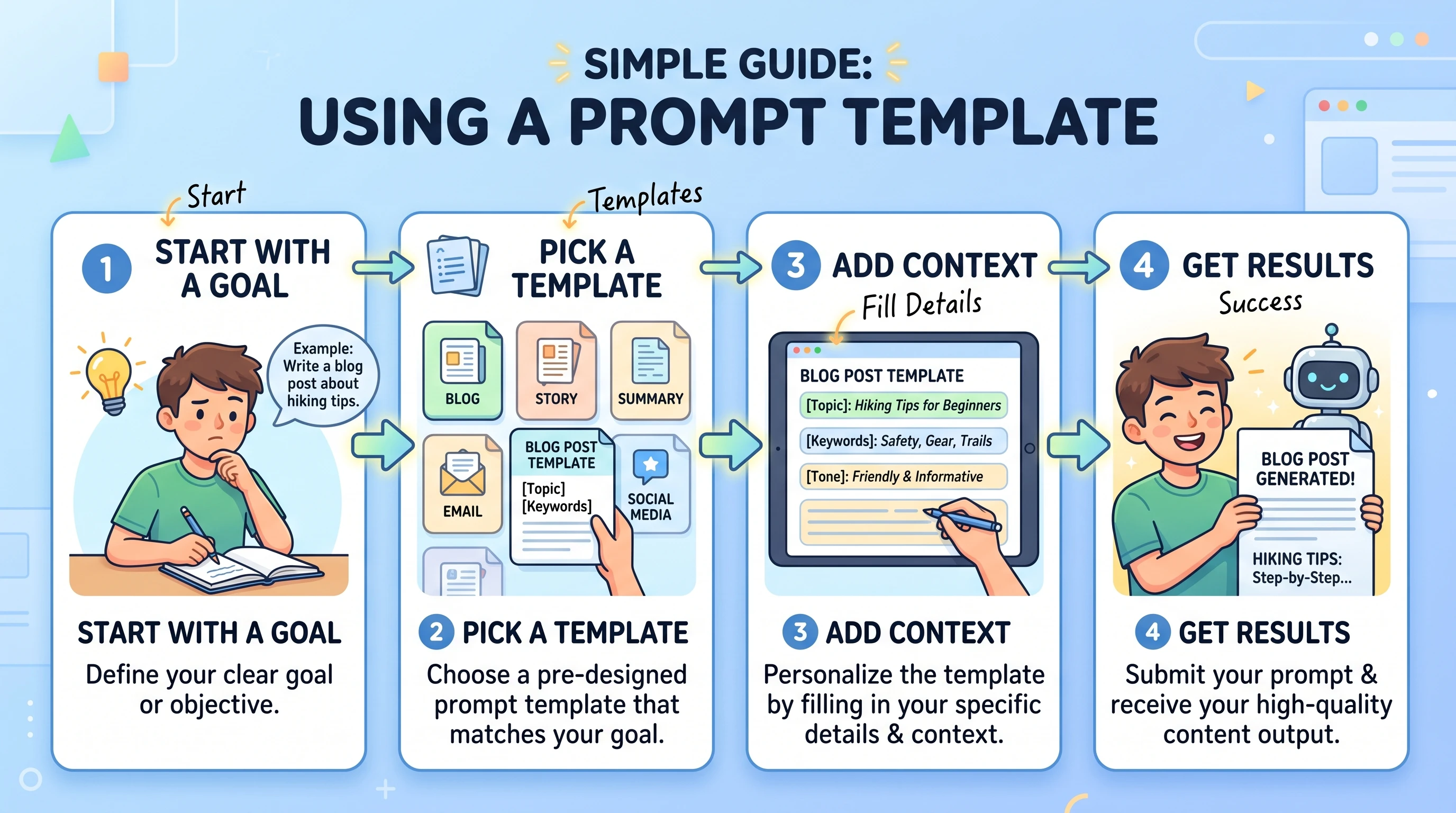
- Decide Your Goal: Are you looking for facts, creativity, a style, or a quick answer?
- Pick a Template: Use one above, or adjust it for your project.
- Add Context: Even if you’re not sure how much to share, a bit of background always helps.
- Tune, Don’t Overthink: Try your prompt, check the output, and fix anything missing or unclear. Tweaking is part of the game, not a failure.
Most AI tools will reward even small changes. A single word can totally change the vibe of the result. That’s why templates are so useful: you don’t need to reinvent things, just adjust and go. Also, remember that documenting tweaks you’ve made and saving templates that worked well for later can be a real timesaver.
Common Beginner Challenges and How to Tackle Them
The learning curve for prompt templates is much smoother when you’re ready for a few common hurdles:
- Unclear Prompts: If your request feels generic, the result will be generic, too. Add a little more detail. Describe, specify a tone, or set a goal.
- Too Many Instructions: Long, complicated prompts can confuse the AI. Focus on one or two main instructions per prompt.
- Repeating Results: Tweak your template by switching up wording or asking for more variety to avoid getting similar answers each time.
- Unexpected Formatting: Use clear instructions like “list,” “table,” or “in one paragraph” to help the AI deliver exactly what you imagine.
Practice is your best friend here. Don’t stress if you get weird outputs. Just adjust your template, and you’ll quickly learn what works. If you keep a simple log of what you tried and what changed, you’ll spot patterns and get better results faster.
Advanced Moves for When You’re Ready
Once you’re comfortable with basics, try:
- Stacking templates (for example, ask for an “Explain Like I’m 5” version, then ask for a social caption, using the first answer as input)
- Adding style modifiers (“Make it sound like a pirate” or “Write formally for a business memo”)
- Setting rules (“Don’t mention competitors” or “Keep paragraphs under 50 words”)
Trying these ideas opens up a lot more flexibility with how you use AI in your work, homework, or creative projects. The main thing is to not be afraid to experiment—a little play goes a long way.
Where Can You Use Prompt Templates?
Prompt templates aren’t just for text. You can use them for:
- Designing images: Tell the AI what to draw, add a style and a mood.
- Generating code: Ask for code snippets or explain code in beginner terms.
- Learning languages: Practice conversation or translations with different scenarios.
- Getting study help: Use templates to summarize readings or quiz you on facts.
There’s really no limit. The key is starting simple and learning by doing. As you get more experience, you’ll find new ways to put templates to work for all sorts of projects—even those you haven’t thought of yet.
Frequently Asked Questions
Q: What’s the fastest way to get better at writing prompts using templates?
A: Try out templates with real questions or projects. Don’t just copy; change words and experiment. Seeing what works teaches you more than any guide ever will. Try to check out forums or communities where people share their prompt experiences for more ideas, too.
Q: Can I use these templates for AI image generators, or are they just for chatbots?
A: You can use them for both! Just swap “style” or “tone” for image styles, colors, or details. Templates are really flexible and a helpful shortcut when you want better images or unique visuals without having to start over each time.
Q: What if my output isn’t what I expected?
A: Keep tweaking; change one thing at a time and see how it impacts the result. That’s how you learn what the AI “understands.” Remember, sometimes putting in an extra sentence or more detail solves the issue right away.
A Little About My Journey
When I first started using AI, I had no idea how to write effective prompts. Like many beginners, I spent a lot of time guessing, experimenting, and learning through trial and error.
One of the places that helped me build those skills was Wealthy Affiliate. Along the way, I learned not only how to create better content with AI, but also how to build websites, understand SEO, and turn those skills into something practical.
That’s one of the reasons I write guides like this today. If I can help someone skip the confusion I experienced when I was getting started, then it’s worth sharing what I’ve learned.
If you’re looking for a place to learn AI, content creation, affiliate marketing, and website building in one community, Wealthy Affiliate is where my own journey began. If you decide to join through my link, I’ll personally be there to help you as you work through the training.
Turn Your AI Skills Into a Real Online Business
Learning prompt templates is a great first step. If you’re ready to build a website, create content that ranks, learn SEO, and earn through affiliate marketing, Wealthy Affiliate is where I learned the skills that helped me get started.
Key Takeaways for Beginners
Prompt templates make your first steps with AI simpler and way less stressful. Just remember: start with a solid template, add your details, and tweak until you get what you want. The more you try, the more you’ll see what works best for your style and projects. Save your favorite templates for later, and build your own collection over time. You’ll find yourself working faster and having more fun along the way. Eventually, you’ll have your own stash of custom templates tailored exactly to your needs, and when friends ask how you get so much done, you’ll have your answer!


I really liked your breakdown of the six parts of a prompt template, especially the “what to avoid” section, because I’ve spent so much time tweaking my own prompts only to realize I was accidentally overcomplicating them.
When I first started trying to optimize my prompts, I kept piling on extra instructions thinking it would make the output better, but it usually just confused the AI and made everything sound way too robotic. How do you usually decide when a prompt has enough detail without crossing into that “too many instructions” trap you mentioned?
I use an LLM to test the waters to be honest. When it delivers something I like after tweaks to the main prompt, I then take the prompt to Image Studio inside Wealthy Affiliate or I use Kre8or to deliver the polished image. I can do this rather quickly.
This is an excellent introduction for anyone who feels intimidated by AI. Looking back over the past year, I can honestly say my biggest mistake was thinking I had to come up with the perfect prompt on the first try. Once I realized AI works much better as a conversation than a one-and-done request, everything changed.
I use ChatGPT almost daily now for brainstorming article ideas, improving SEO, creating outlines, refining drafts, and even discussing topics until I have a better understanding before I start writing. The first response is rarely the final one, and that’s okay. Some of my best results have come after several rounds of follow-up questions and refinements.
Your point about using templates is a good one because they give beginners a place to start. As confidence grows, those templates naturally evolve into more detailed prompts based on the task at hand.
I have taken the template idea a step further. Using AI, I’ve developed a Style Guide that I can point my AI model to for all writing. It’s going to be very useful in the future whenever I prompt AI to write or brainstorm.
Hello Scott,
Thanks for taking the time to leave behind your valuable insights.
I too have more advanced style guides. I have even built tools that can be used to speed up the process.
One example of which is my Image Prompt Generator. It can and will create detailed image prompts by using a post URL, Keyword, or even Text.
You can see the example and try it for free in my post: AI Image Prompt Generator For Blogs & Social Media
It is my hope you check it out for yourself, It is a tool you can return to and use whenever you need or check it out the main platform I built it with and build your own. That platform is RightBlogger.com that has over 90+ AI tools to simplify the creation process, many of which are free to use.
Have a Great Day!
Michael